Workflow Automation for WhatsApp Sales: Approval Gates Before Leads Hit Your CRM
Use workflow automation to route WhatsApp sales leads into CRM only after the right checks, approvals, ownership, and audit trail are in place.
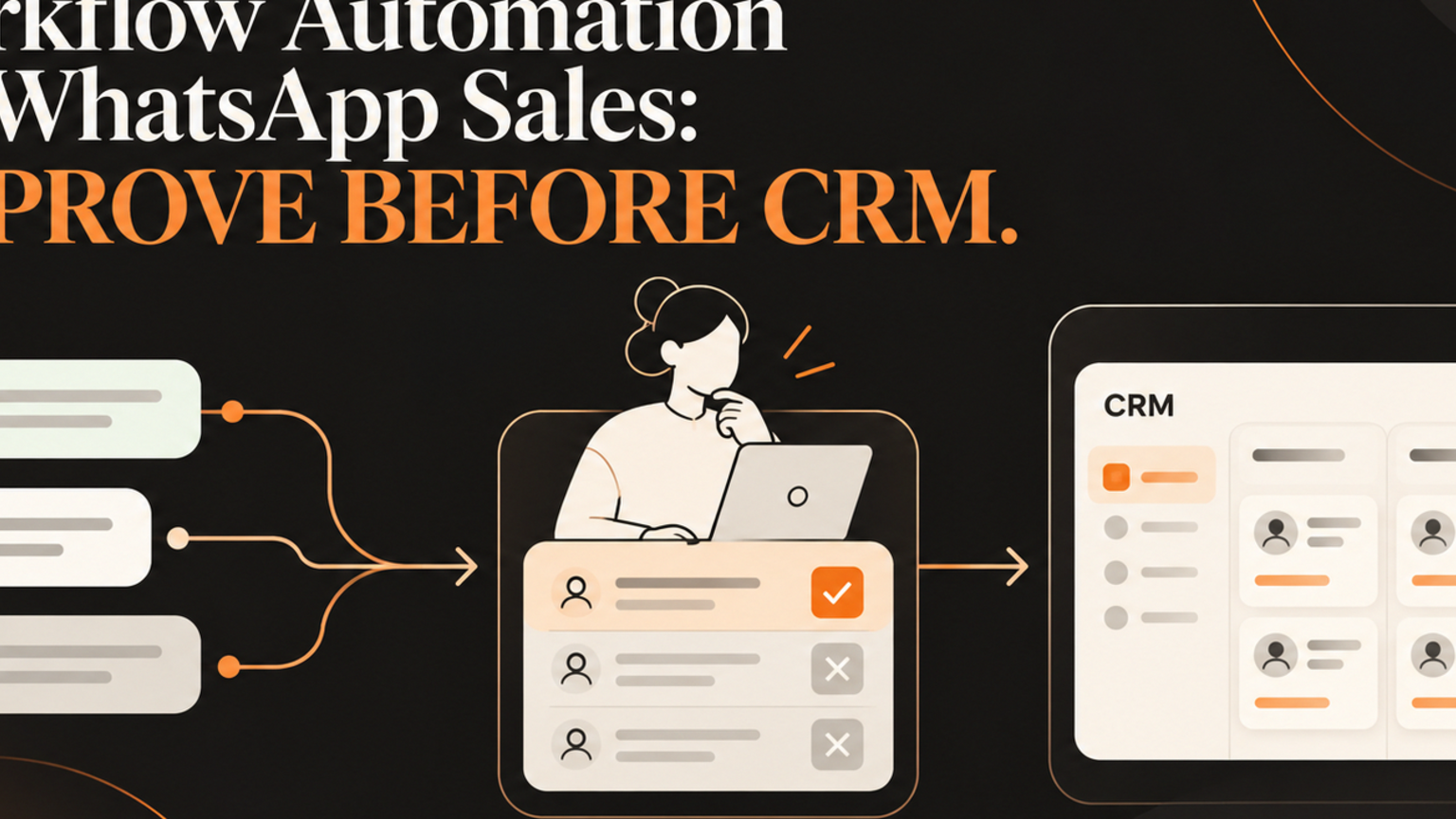
Workflow automation for WhatsApp sales should not push every message straight into your CRM. It should qualify intent, prepare the next step, ask for approval when risk is high, and keep an audit trail. For founders, sales leads, and operators, the risk is not that automation fails to send a message. The risk is that it sends the wrong follow-up, overwrites the wrong CRM field, or hides the handoff that a human should own.
Quick answer
Workflow automation is safest for WhatsApp sales when the system separates conversation capture, lead qualification, CRM preparation, human approval, and follow-up logging. WhatsApp positions its Business Platform for lead generation, conversational commerce, engagement marketing, and support through enterprise APIs.[1] n8n documents WhatsApp Business Cloud operations such as sending messages, sending templates, media actions, and send-and-wait steps.[2] Those capabilities are useful, but the business workflow around them decides whether the automation protects pipeline or creates mess.
What is workflow automation for WhatsApp sales?
Workflow automation for WhatsApp sales is the controlled movement of a buyer conversation from WhatsApp into the systems that run your business. A simple version captures a message and alerts a sales rep. A better version reads the buyer intent, checks whether the person already exists in the CRM, prepares a suggested update, routes the lead to the right owner, and records what happened.
The important word is controlled. A WhatsApp message can be urgent, informal, and incomplete. If automation treats every message as a qualified lead, the CRM fills with weak records. If it waits too long, the buyer loses context. Harvard Business Review warned that many companies are not responding fast enough to online queries.[3]
What this means for SMEs
For SMEs, WhatsApp sales automation is attractive because customers already use messaging. A buyer asks about price, availability, booking, support, or implementation. Your team wants the answer fast and the record clean.
The danger is connecting WhatsApp, an AI reply, n8n, and a CRM before deciding who approves what. Speed without ownership creates duplicate contacts, unclear consent, missed context, and awkward follow-ups.
A stronger setup starts with one workflow question: what should happen before this message becomes a CRM action?
For GOFTUS clients, the answer is usually capture the message, classify intent, check the CRM, prepare the next step, ask a human to approve risky updates, log the decision, and escalate exceptions instead of burying them in chat history.
That is workflow automation, not just message automation.
Practical checklist before leads hit your CRM
Use this checklist before you connect WhatsApp conversations to CRM records:
Define the trigger: new inbound message, keyword, form completion, or template reply.
Name the owner: sales rep, support lead, operations manager, or founder.
Set qualification rules: budget, need, location, urgency, existing customer, or account size.
Protect CRM fields: decide which fields AI may suggest, never directly overwrite.
Add approval gates: require review before creating deals, changing stages, or sending sensitive replies.
Create exception paths: route unclear, angry, legal, billing, or data-sensitive messages to a human.
Log the audit trail: message summary, suggested action, approver, timestamp, and outcome.
Measure response quality: not only speed, but booked calls, clean records, and fewer manual rescues.
If any item is missing, start with a workflow diagnostic before adding another connector. GOFTUS can map that through /services or scope the first controlled build through /contact.
Workflow example: WhatsApp enquiry to approved CRM follow-up
Imagine a property services company receives a WhatsApp message: "Can you quote for two offices next week?"
A weak automation creates a CRM lead, assigns a generic tag, and sends a canned reply. It looks efficient, but the sales rep still has to check location, job size, availability, and whether the sender is already a customer.
A governed workflow captures the message, checks for an existing CRM contact, drafts a summary, marks the lead as quote request, asks for human approval when details are missing, and prepares a reply asking for square footage, postcode, and preferred day. Once approved, it logs the follow-up task and reminds the owner if nobody responds.
The AI helps with preparation. The human owns the customer promise.
Common mistakes
The first mistake is treating WhatsApp as just another inbox. Messaging carries urgency, but it often lacks structured data. The workflow has to ask for missing details before the CRM becomes the source of truth.
The second mistake is letting AI reply before boundaries are clear. AI can draft helpful responses, but pricing, refunds, complaints, legal claims, and unusual promises need review.
The third mistake is measuring only message volume. Better measures are time to first qualified reply, clean CRM records, approval turnaround, booked calls, and unresolved exceptions.
The fourth mistake is copying a template without adapting the approval rules. Your operating model decides whether the tools become a sales workflow.
Competitor lens
No-code workflow builders and CRM add-ons can be useful when the process is simple. They are often good at sending messages, moving records, and connecting apps.
What they usually do not solve by default is operational ownership. Who checks the AI summary? Which CRM fields are protected? When does a conversation become a sales opportunity? What happens when the buyer asks something risky?
That is the GOFTUS difference. We design the workflow around the business decision, then choose the tooling. The goal is not more automation. The goal is safer pipeline movement with evidence.
Internal CTA: run the approval map first
Before your next WhatsApp or CRM automation build, map one real lead journey from first message to booked call. Mark every point where AI can prepare, every point where a person must approve, and every point where the CRM needs evidence.
If you want GOFTUS to do that with you, start with /services for the workflow view, /agents for controlled AI agent design, or /contact to book a workflow diagnostic. You can also browse /questions for related buyer questions around CRM automation, approval workflows, and human-approved AI automation.
Summery for SMEs
WhatsApp sales automation works best when it improves response speed without removing judgment. Capture the message, classify intent, prepare the CRM action, get approval where risk is high, and log the result. That gives SMEs a practical path from customer conversation to owned follow-up without turning a messaging channel into a messy database.
FAQ
What is workflow automation for WhatsApp sales?
It is the process of routing WhatsApp enquiries into sales, support, and CRM workflows with clear triggers, owners, approval gates, and audit logs. The goal is to help the team respond faster while keeping customer records accurate.
Should AI reply directly to WhatsApp leads?
AI can draft replies, summarize intent, and prepare CRM updates, but direct replies should be limited by risk. Pricing, complaints, contract terms, refunds, and unusual promises should go through human approval.
How does CRM automation fit into this workflow?
CRM automation should receive clean, approved updates rather than raw chat noise. The workflow should check for existing contacts, prepare suggested fields, assign ownership, and log the decision before records change.
When should an SME use GOFTUS instead of a simple connector?
Use GOFTUS when the workflow involves customer promises, approvals, multiple systems, sensitive data, or measurable ROI. A simple connector moves data. GOFTUS designs the controlled operating process around that data.
What should be measured after launch?
Track time to qualified reply, booked calls, duplicate records, approval turnaround, failed steps, unresolved exceptions, and customer handoff quality. These show whether the automation is improving the business, not only moving messages.
Sources
[1] WhatsApp Business Platform: https://business.whatsapp.com/products/business-platform
[2] n8n WhatsApp Business Cloud docs: https://docs.n8n.io/integrations/builtin/app-nodes/n8n-nodes-base.whatsapp
[3] Harvard Business Review, The Short Life of Online Sales Leads: https://hbr.org/2011/03/the-short-life-of-online-sales-leads