Workflow Automation: How SMEs Stop New Automations Creating More Work
Workflow automation should reduce operational load. Use owners, approval gates, audit logs, and exception paths before adding another AI tool.
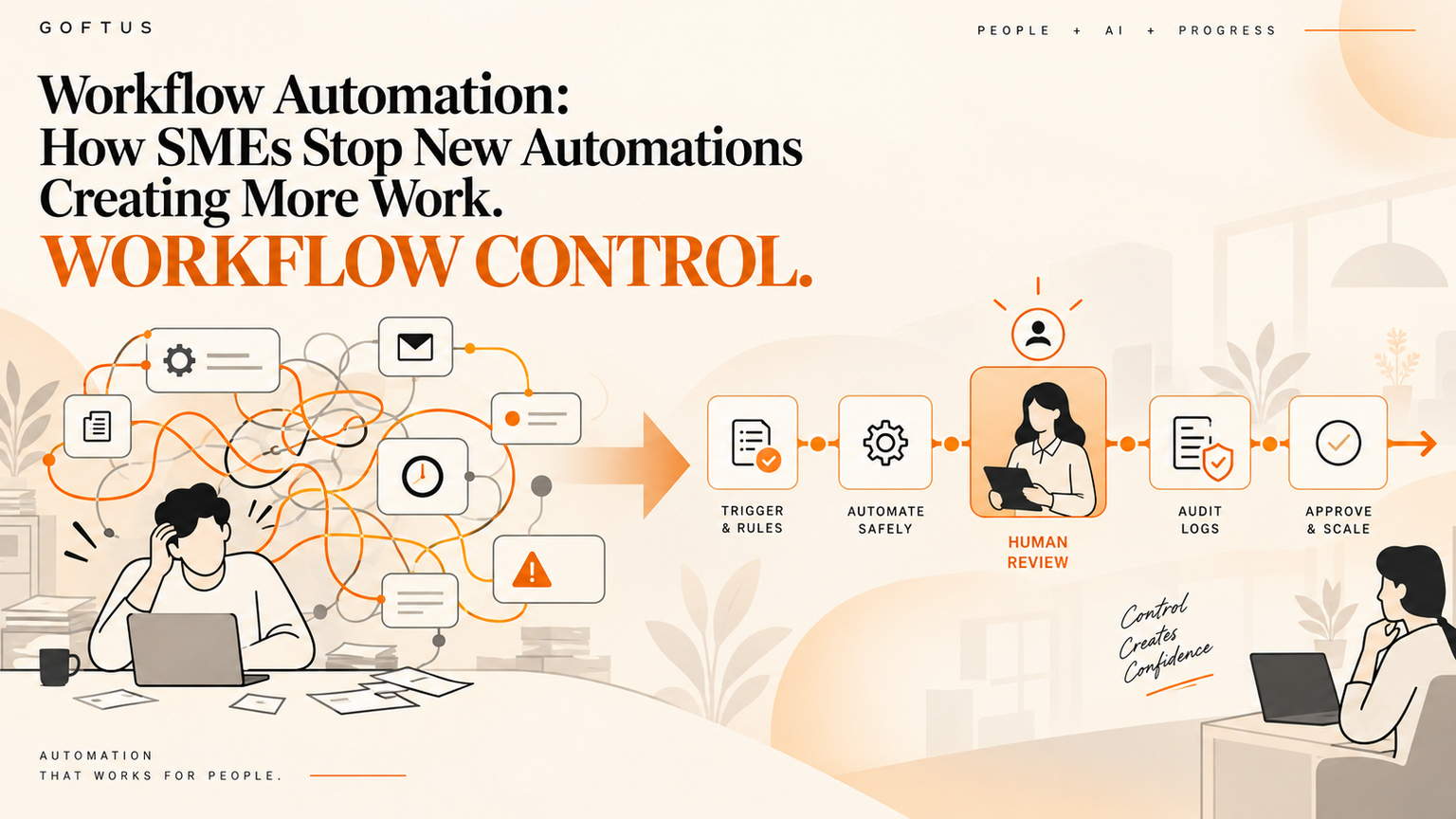
Workflow automation can save time only when every automated step has an owner, a boundary, and a review path before it touches customers, money, records, or live websites. For SME founders and operators, the danger is adding tools until nobody knows which task fired, which record changed, or who should approve the exception. GOFTUS treats workflow automation as an operating system for work: observe, prepare, approve, act, and keep an audit trail.
Quick answer
Workflow automation should start with a workflow map, not another app. Name the trigger, system of record, owner, approval rule, exception path, and audit evidence before software takes action. NIST describes AI risk management as a way to incorporate trustworthiness into the design, development, use, and evaluation of AI systems.[1] OWASP highlights security risks for LLM applications and agentic systems, which is why tool access and permissions need operational controls before an AI workflow can act.[2]
What is workflow automation for SMEs?
Workflow automation is the structured movement of work between people, software, and decision points. In an SME, that might mean routing a website enquiry into a CRM, assigning a support request, checking a document for missing data, or preparing a follow-up email for review.
This matters as AI tools become easier to connect. McKinsey reports that organizations are deploying agentic systems capable of acting autonomously across workflows, while still trying to capture enterprise-level financial impact from AI.[3] That gap is where SMEs get stuck: staff feel faster, but the business still cannot prove time saved, revenue protected, or risk reduced.
Why new automations often create more work
New automation creates more work when it removes manual effort from one person but adds hidden coordination work for everyone else.
A sales team may automate lead enrichment, but if the CRM owner does not trust the fields, somebody still checks every record. A support team may add AI draft replies, but if escalation rules are unclear, managers still scan the inbox.
The visible demo looks faster. The real workflow gets heavier.
The failure usually comes from four missing pieces:
1. No named owner for the outcome.
2. No boundary between suggestion and action.
3. No approval rule for high-risk cases.
4. No evidence trail when someone asks what happened.
GOFTUS fixes this by designing the surrounding workflow, not only the AI step.
Practical checklist before adding another automation
Use this checklist before buying another tool or connecting another app:
Name the workflow owner.
Define the business trigger, such as a new enquiry, missed call, invoice, support ticket, document upload, or browser task.
Identify the system of record, such as CRM, helpdesk, inbox, document store, accounting system, or browser portal.
Separate prepare from act. AI can draft, classify, summarize, or recommend before it updates a live record.
Set approval gates for customer commitments, refunds, payments, access changes, contract edits, or public content.
Write the exception path for low confidence, missing data, conflicting records, or sensitive requests.
Log the input, output, reviewer, timestamp, decision, and final action.
Review overrides, repeated exceptions, response time, and customer impact after launch.
If the workflow cannot pass this checklist, it is not ready for deeper automation. It may still be ready for a GOFTUS workflow diagnostic at /contact.
Workflow example: lead routing with controlled follow-up
Imagine an SME receives enquiries through a contact form, email inbox, LinkedIn messages, and referral notes. The team wants workflow automation because good leads are going cold.
A weak automation pushes every enquiry into the CRM, generates a draft email, and notifies sales. It looks efficient, but duplicates pile up. The sales lead does not know which source is trusted. Support questions get routed as sales leads. Follow-ups go out before someone checks fit.
A governed version works differently.
First, the workflow captures the source and creates one intake record. AI summarizes the request, suggests a category, checks for duplicates, and prepares a follow-up task. Sensitive or unclear cases go to a human reviewer before any external reply is sent. The final decision is logged in the CRM.
That is workflow automation with ownership. The AI helps, but the business controls the handoff.
For related implementation paths, see GOFTUS services at /services, agent workflows at /agents, and buyer questions at /questions.
What this means for SMEs
SMEs should judge automation by workflow proof, not tool count. A good project makes it easier to answer: who owns this workflow, which steps can run automatically, which steps need approval, where the evidence lives, what happens when AI is wrong, and how the workflow improves next month.
This is why a small diagnostic can beat a large tool rollout. GOFTUS builds human-approved AI automation around that operating logic. The goal is not to replace your team with disconnected bots. The goal is to give operators controlled workflows that route work, prepare actions, capture decisions, and show what happened.
Common mistakes
The first mistake is automating a broken process. If ownership is unclear, automation makes confusion faster.
The second mistake is giving AI direct write access too early. Drafting a reply is different from sending it. Preparing a CRM update is different from committing it.
The third mistake is treating audit logs as optional. If automation touches customers, money, access, documents, or public content, the business needs a record of the input, recommendation, approval, and action.
The fourth mistake is ignoring maintenance. Workflows drift as offers, customers, forms, and policies change. Review cycles are part of automation.
Competitor lens
No-code tools, AI assistants, and SaaS workflows can be useful for simple alerts, low-risk routing, and data movement.
The gap appears when work crosses systems or carries business risk. A generic tool may move data from one app to another, but it will not automatically define your approval policy, CRM ownership, exception queue, audit standard, or monthly improvement loop.
GOFTUS focuses on that layer. We design the operating workflow around the tool so the business can see who approved what, what changed, and where the next improvement should happen.
Internal CTA
If your team has added automations but still feels busy, book a workflow diagnostic at /contact. GOFTUS will map one real process, identify safe automation steps, define approval gates, and show where AI should prepare work before a person approves the action.
Summery for SMEs
Workflow automation should reduce operational load, not create hidden coordination debt. Start with ownership, boundaries, approval gates, exception routing, and evidence logs. Then add AI tools where they prepare work safely and make the workflow easier to measure.
FAQ
What is workflow automation in simple terms?
Workflow automation moves repeatable work between people, systems, and approval steps using rules or AI assistance. For SMEs, it should make handoffs clearer, reduce repeated admin, and keep a record of important decisions.
How can workflow automation create more work?
It creates more work when nobody owns exceptions, data quality drops, duplicate records appear, or AI acts before a person approves high-risk steps. The team saves time in one place but spends it debugging elsewhere.
When should AI tools be added to a workflow?
Add AI tools after the workflow has a trigger, owner, source of truth, approval rule, and exception path. AI is strongest when it prepares, classifies, summarizes, or recommends before a controlled action happens.
What should an SME approve before automation goes live?
Approve the action boundary, connected systems, data access, human review triggers, rollback path, and audit evidence. These decisions matter more than the specific automation tool.
How does GOFTUS help with workflow automation?
GOFTUS maps the real workflow, designs approval gates, connects the right systems, builds human-approved AI automation, and creates the audit trail needed to improve the workflow over time.
Sources
[1] https://www.nist.gov/itl/ai-risk-management-framework - NIST AI Risk Management Framework
[2] https://owasp.org/www-project-top-10-for-large-language-model-applications - OWASP Top 10 for LLM Applications
[3] https://www.mckinsey.com/capabilities/quantumblack/our-insights/the-state-of-ai - McKinsey State of AI