Workflow Automation ROI Calculator: What to Measure Before You Automate or Hire
Use a workflow automation ROI calculator to compare time saved, risk reduced, handoff quality, and follow-up revenue before adding AI tools or hiring.
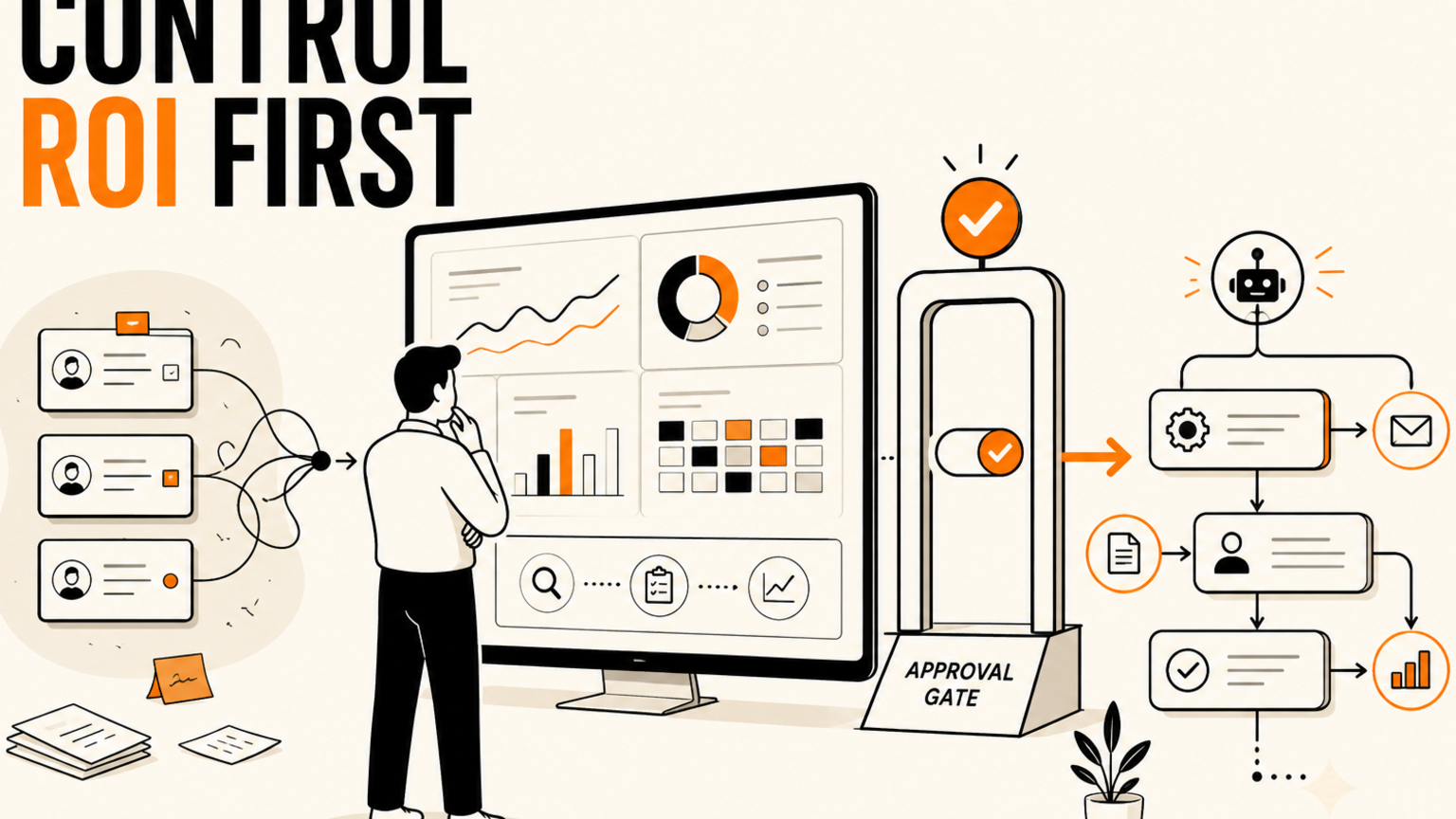
## Quick answer A workflow automation ROI calculator should compare the cost of the current process with the time saved, errors reduced, leads protected, and manager review needed after automation goes live. Small busi
Quick answer
A workflow automation ROI calculator should compare the cost of the current process with the time saved, errors reduced, leads protected, and manager review needed after automation goes live.
Small businesses often ask the wrong ROI question. They ask, "Can AI do this task?" when the better question is, "What does this workflow cost us when humans, tools, and follow-up all miss each other?"
The most profitable automation projects are rarely the flashiest. They are usually the boring weekly workflows that keep stealing operator time: lead follow-up, support triage, invoice checks, reporting, document routing, campaign QA, and manager approvals. A new hire can help. A new AI tool can help. But without a measurement model, both options can become another layer to manage.
GOFTUS looks at automation ROI as a workflow decision, not a software shopping decision. The goal is to decide what should stay manual, what should be prepared by AI, what needs approval, and what can safely move automatically. That is the same logic behind our /services work and our /contact workflow diagnostic.
Why ROI gets fuzzy when AI enters the workflow
Classic automation math is simple: hours saved multiplied by hourly cost, minus tool and build cost. That still helps, but AI changes the shape of the calculation. A language model can draft replies, classify support tickets, summarize calls, and prepare CRM updates, yet the business still owns the outcome.
If a customer gets the wrong answer, the cost is not only the time spent fixing it. It may include a missed renewal, a confused sales handoff, a support escalation, or a reputation hit. If a marketing assistant creates campaign assets faster but nobody checks claims, pricing, compliance, or source material, the team may only be producing risk at higher speed.
The five numbers to put in your calculator
Start with volume. How many times does the workflow happen each week? A task that happens twice a month may still matter, but it needs a different business case than a support handoff that happens forty times a day.
Next, measure handling time. Include the real time, not just the visible task. If a lead email takes four minutes to answer but another six minutes to check notes, update the CRM, notify sales, and set a reminder, the workflow cost is ten minutes. AI that drafts the email but leaves the follow-up mess untouched has not solved the workflow.
Third, measure delay cost. How many opportunities go cold because nobody responds in the right window? How many customer questions are answered twice because the first answer never reached the right person? Delay cost turns automation from a convenience argument into a revenue and service argument.
Fourth, measure error cost. This includes wrong fields in the CRM, copied figures in weekly reports, outdated FAQ answers, unsupported claims in marketing content, and web actions submitted without review. Fifth, measure review cost. A manager should not reread every low-risk draft from scratch. They should review exceptions, risky actions, and decisions above a clear threshold.
A practical example: lead follow-up before hiring again
Imagine a small service business receiving sixty inbound enquiries per month. The team replies manually, checks the website form, reviews the email thread, updates the CRM, and sets a follow-up reminder. Average handling time is twelve minutes per lead. That is twelve hours per month before counting delays and mistakes.
A basic automation could capture the enquiry, enrich the CRM record, draft a reply, classify urgency, suggest the next step, and create a follow-up task. But the workflow should not send every reply automatically. High-value leads, unclear requirements, pricing questions, complaints, and legal or finance issues should route to a human approval lane.
Now the calculator changes. The business may save six to eight hours per month in admin time, but the larger value may come from faster response times and fewer forgotten follow-ups. If just two extra qualified conversations are booked each month, the ROI is no longer about admin minutes alone. It is about sales continuity.
What competitors and tools often miss
Workflow builders, no-code tools, consultants, and AI platforms can all be useful. The gap is ownership. A tool can move data from A to B. A consultant can propose a process. An AI agent can prepare useful output. But somebody still needs to define the rule for when the workflow is allowed to act.
That rule is where ROI either improves or disappears. If every step needs manual approval, the automation becomes a slower checklist. If no step needs approval, the business may gain speed while losing control. The better design is usually a set of lanes. Green lane tasks can move automatically. Amber lane tasks need review. Red lane tasks stop and escalate.
This is especially important when AI touches browser workflows, customer support systems, finance tools, document approvals, or CRM records. GOFTUS designs those boundaries into the implementation instead of treating them as afterthoughts. If browser actions are part of the process, start with /agents so permissions, logs, and stop rules are clear before any web action is allowed.
How to decide whether to automate or hire
Use the calculator to compare three options. First, keep the process manual and improve the checklist. Second, hire or assign more human capacity. Third, automate the preparation, routing, reminders, and reporting while keeping approval gates where judgment matters.
Automation is the strongest option when the workflow has repeatable inputs, clear decision rules, high delay cost, visible handoffs, and frequent follow-up. Hiring is the stronger option when the work is mostly relationship driven, strategic, ambiguous, or emotionally sensitive. Many businesses need both, but in the right order.
A good first project should be narrow enough to ship, visible enough to measure, and important enough that the team cares. Avoid starting with a giant company-wide AI assistant. Start with one workflow where the trigger, owner, approval rule, and success metric are obvious.
Summery for SMEs
Do not judge AI automation by tool demos alone. Judge it by workflow economics. Count the volume, handling time, delay cost, error cost, review effort, and avoided loss. Then design the automation around ownership, approval, and proof.
If your team is considering another hire, another AI subscription, or another workflow platform, start with one calculator-backed diagnostic. GOFTUS can help map the workflow, define the approval lanes, estimate the business case, and build the first controlled version through /services or a direct /contact conversation.
FAQ
What is a workflow automation ROI calculator?
It is a simple way to compare the cost of a current workflow with the expected value of automation. The best version includes time saved, delay reduced, errors avoided, review effort, and business outcomes such as booked calls, faster support, or cleaner reporting.
Should small businesses automate before hiring?
Sometimes. If the work is repetitive, rule based, and delayed by handoffs, automation may remove enough admin pressure to delay a hire. If the work needs judgment, trust, sales skill, or relationship management, hiring may still be the better move.
Where should a first AI automation project start?
Start with a workflow that happens often, has clear inputs, and has a visible cost when it is late or wrong. Lead follow-up, support triage, document routing, reporting, and CRM updates are common starting points.
Source notes
This article was informed by current public discussions from founders and operators about slow growth, tool cost, AI adoption, and proof of business value, plus recent business coverage on AI use cases and small-business implementation challenges.