Perplexity's Windows Agent Shows Browser Workflows Need Controls
Perplexity's Windows agent signal shows why SMEs need browser controls, approvals, logs, and workflow ownership before agents act.
# Perplexity's Windows Agent Shows Browser Workflows Need Controls Meta description: Perplexity's Windows agent signal shows why SMEs need browser controls, approvals, logs, and workflow ownership before agents act. ##
Perplexity's Windows Agent Shows Browser Workflows Need Controls
Meta description: Perplexity's Windows agent signal shows why SMEs need browser controls, approvals, logs, and workflow ownership before agents act.
Quick answer
SiliconANGLE reported on 28 July that Perplexity is bringing its Personal Computer AI agent to Windows. The useful business lesson is not simply that another AI assistant is arriving on the desktop. It is that AI agents are moving closer to the browser, the operating system, and the everyday screens where work actually happens. For UK, US, and EU SMEs, that shift is exciting only if the workflow around the agent is controlled.
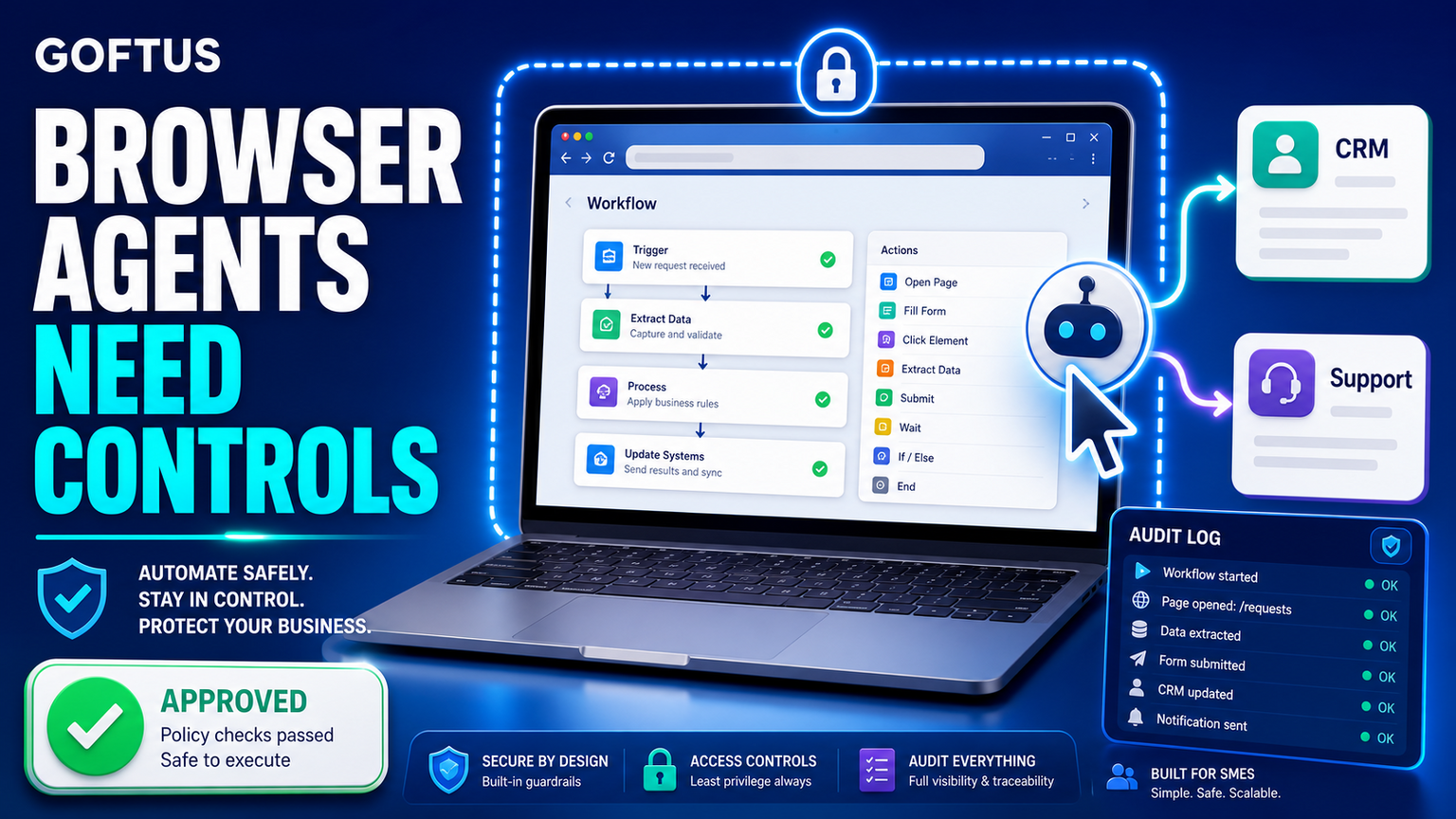
A browser or desktop agent can open pages, read forms, move data, prepare replies, update records, and trigger follow ups. That can save time across sales, support, operations, recruitment, finance, and supplier admin. It can also create risk if a tool clicks the wrong button, submits a form without review, copies sensitive data into the wrong system, or leaves no record of what happened. The winning approach is not to let agents roam freely. It is to give them narrow jobs, approval gates, login boundaries, audit logs, and clear stop rules.
That is where the GOFTUS view is simple: browser agents should be treated as workflow infrastructure, not as a novelty app. If a business wants AI controlled browser automation, it should design the safe handoff before it chases the most advanced assistant. GOFTUS helps teams turn that idea into practical systems through /agents and wider /services work.
What this means for SMEs
Most small and mid sized businesses still rely on browser work. Staff copy customer details from a website into a CRM. They check order portals. They download invoices. They update helpdesk tickets. They reconcile supplier dashboards. They search inboxes, log into SaaS tools, and repeat the same steps every week.
A Windows level agent from a company like Perplexity points toward a future where an assistant can sit beside those tasks. That does not mean an SME should automate everything at once. The better starting point is one repeated browser workflow with an easy to inspect outcome. For example, an agent can collect form data, draft a CRM update, attach the source page, and ask a human to approve the final save. Another agent can monitor a support portal, classify new issues, route urgent cases, and leave a visible audit trail.
This is also why the search phrase browser with ai controls matters. The market is moving beyond chatbots that only answer questions. Operators now need browser-based workflow automation that can act, but only inside a managed lane. Useful controls include allowed domains, blocked actions, step by step logs, human approval before submission, password boundaries, data retention rules, exception queues, and a weekly review of failed or uncertain tasks.
Hajikreena's view
The Perplexity Windows report should be read as a signal, not a finished SME playbook. Desktop agents will keep improving, and vendors will compete on how much they can do across apps. SMEs should compete on a different question: which workflow can we safely improve this month?
Hajikreena's view is that the safest first win is usually a workflow where the agent prepares work and the human approves action. That could be updating a lead after a website enquiry, checking a customer record before a support reply, preparing a supplier status note, or collecting document evidence before a finance task. The agent does not need unlimited autonomy. It needs a well designed checklist and a human friendly control panel.
This is where GOFTUS can add value beyond tool setup. A browser agent needs process design, integration, monitoring, and improvement. It should connect to CRM, support, reporting, documents, and FAQ automation where relevant. If a website visitor asks a repeated question, /services#faq-automation can answer it. If the next step needs a browser login or staff approval, /agents and /services can route that task safely.
Competitor lens
The market around this topic is crowded. UK firms such as Faculty AI, Deeper Insights, Waracle, and Brainpool AI can help larger teams explore AI systems. US providers such as LeewayHertz, Markovate, SoluLab, and BairesDev can build custom software. European teams such as Addepto, STX Next, Netguru, and 10Clouds can support delivery. SaaS tools such as Zapier, n8n, Relevance AI, Lindy, Gumloop, Bardeen, Make, and Stack AI can connect apps and automate tasks.
Those options can be useful. The gap appears when a business treats a browser agent as a plug in rather than a workflow change. Tools automate tasks. GOFTUS automates the workflow around the task. That means deciding what the agent may read, what it may change, when it must ask for approval, how staff see the log, where exceptions go, and how the workflow improves after real use.
For SMEs, that difference matters more than model choice. A clever assistant without operating rules can create more checking work. A controlled browser workflow can reduce manual effort while keeping the business owner, manager, or team lead in charge.
What SMEs should do next
Start by listing browser tasks that happen often, take more than a few minutes, and have a clear result. Good candidates include lead capture, support triage, order updates, supplier checks, document downloads, application status checks, invoice lookups, and CRM housekeeping.
Next, mark each step as read only, draft, approve, or submit. Read only steps can often be automated early. Draft steps can be prepared by the agent but reviewed by a person. Submit steps need stronger controls, especially when money, customer data, contracts, or external messages are involved.
Then define the evidence trail. Every browser agent should record the source page, data used, action prepared, human approval, final outcome, and exception reason. Without that log, it becomes hard to trust the workflow or improve it.
Finally, connect the browser agent to the wider system. A customer answer may start in FAQ automation, become a CRM lead, move into a support queue, and trigger a follow up. A supplier issue may start in a portal, become a document note, and appear in a weekly report. GOFTUS can help map those handoffs through /services, /agents, and a practical diagnostic via /contact.
Summery for SMEs
Perplexity's Windows agent signal shows that AI is moving closer to the browser and desktop work where SMEs spend time. The opportunity is not only faster clicking. It is safer workflow automation with approvals, logs, boundaries, and improvement loops. Businesses that define browser controls early will be better placed to use AI agents without losing visibility.
FAQ
What is browser with ai controls? It means using AI to help with browser based tasks while keeping rules around domains, actions, approvals, logs, login boundaries, and stop conditions.
Should SMEs wait for perfect desktop agents? No. They can start with narrow, reviewable workflows where an agent drafts or gathers information and a human approves the final action.
Where can GOFTUS help? GOFTUS helps design and build practical AI agents, browser workflow controls, CRM handoffs, FAQ automation, support routing, reporting, and review systems through /agents and /services.
Source notes
This article treats the Perplexity item as a news signal and frames the SME lesson around governed workflows rather than claiming direct hands-on testing of the product.