OpenAI Workflow Automation: Cost Controls, Approval Gates, and Audit Logs for SMEs
OpenAI workflow automation can help SMEs move faster when cost controls, approval gates, and audit logs are designed before AI acts.
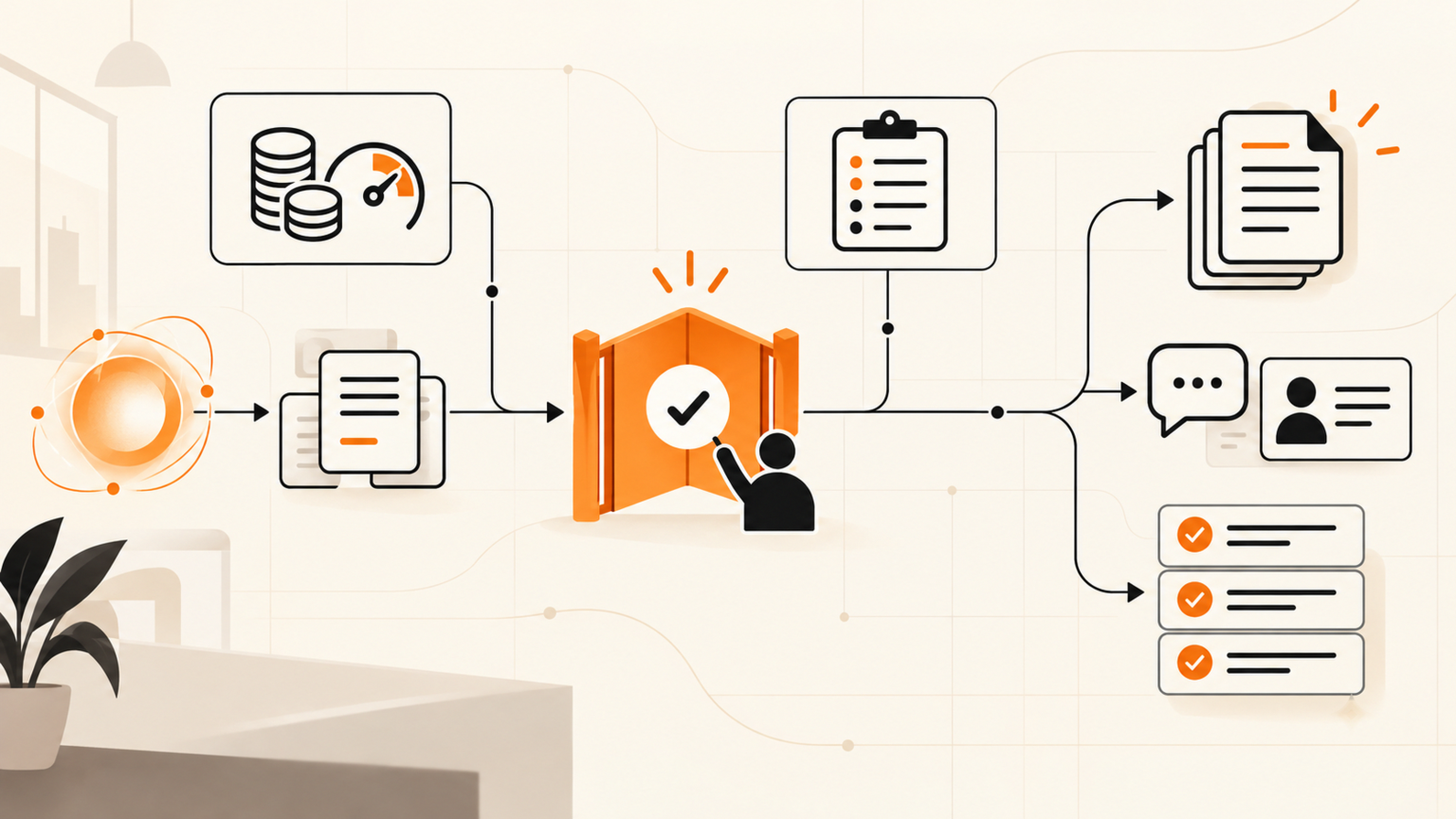
OpenAI workflow automation is safest for SMEs when every customer, finance, support, document, and browser action has a named owner, a spend limit, an approval gate, and an audit log before AI is allowed to act. They are asking where it should sit in the workflow, who approves the output, and how to stop cost or quality drift before customers notice. OpenAI says business data in ChatGPT Team, ChatGPT Enterprise, and its API is not used to train models by default, and its agent-building tools are designed to connect models with tools and actions.[1][2] That makes governance a workflow-design job, not just a model-selection job.
Quick answer
OpenAI workflow automation should start with one narrow process, such as support triage, lead follow-up, document review, reporting, or inbox routing. Define the trigger, approved data sources, action the AI may prepare, action it may never complete alone, person who approves exceptions, usage budget, and record kept after every run. GOFTUS treats this as human-approved AI automation: the AI observes and prepares work, then a person approves steps that change customer records, spend money, publish content, submit forms, or send external messages.
What is OpenAI workflow automation?
OpenAI workflow automation means using OpenAI models inside a business process rather than using a chatbot as a standalone assistant. A prompt might draft an email. A workflow can pull a CRM note, summarize a support thread, suggest the next response, flag missing data, prepare a follow-up task, and log the decision.
OpenAI has described an Agents SDK, Responses API, and built-in tools for building agents that can use external tools and complete multi-step tasks.[2] For an SME, the question is which steps need review before action.
What this means for SMEs
The opportunity is not to replace your team with a vague AI agent. The opportunity is to remove repetitive handoffs while keeping control of customer promises.
A support lead might use AI to classify tickets and draft replies. A sales operator might use it to score enquiries and prepare CRM tasks. A finance founder might use it to flag unusual approvals, but never approve payment alone.
OpenAI publishes usage-based API pricing, which means costs can move with volume, model choice, and workflow design.[3] That is why budget rules belong in the workflow from day one. If an agent retries a failed task, expands a prompt, or runs on every low-value message, cost control becomes an operations problem. The fix is routing, limits, logs, and review.
A practical workflow example
Imagine a small B2B services company receiving enquiries through forms, email, and LinkedIn. Today, the founder checks each message manually. Some leads wait too long and some support requests land in the wrong inbox.
A controlled OpenAI workflow could work like this:
1. Capture the enquiry and classify it as sales, support, partnership, spam, or unclear.
2. Pull approved context from the website, service page, CRM notes, and previous conversations.
3. Draft a reply and create a CRM task with a suggested next step.
4. Route sales opportunities over a value threshold to a human before any message is sent.
5. Route refund, legal, security, or contract questions to a manager before external communication.
6. Log the classification, draft, approver, final message, and follow-up date.
7. Review misses weekly and update the workflow rules.
The AI is useful because it prepares the work quickly. The business stays safe because humans approve actions that create risk.
Checklist before OpenAI touches a real workflow
Use this checklist before connecting OpenAI to live business systems:
Name the workflow owner, not just the tool owner.
Define the trigger that starts the automation.
List approved data sources and blocked data sources.
Decide what AI may draft, summarize, classify, or recommend.
Decide what AI may never send, submit, delete, approve, or purchase alone.
Add spend limits by workflow, not only by account.
Add checks for pricing, contracts, refunds, security, and personal data.
Record every run with input source, output, reviewer, final action, and exception reason.
Create a fallback route for model downtime, low confidence, missing context, or budget limits.
Review logs monthly and improve the workflow, not just the prompt.
One reliable approved workflow is worth more than five loose automations nobody trusts.
Competitor lens
No-code workflow tools, prompt libraries, and AI consultants can help a team prototype quickly.
The gap is ownership. A prompt library rarely tells you who approves a refund. A generic automation template may not know which customer tier needs a human reply. A connector can move data, but it does not define risk levels or evidence standards.
GOFTUS is useful when the buyer needs the workflow designed around the business, not around a tool demo. That includes the process map, approval gates, audit logs, browser-controlled agent boundaries, CRM or support handoff, and improvement loop after the first deployment.
Common mistakes
The first mistake is giving AI action rights too early. Drafting a reply is different from sending it. Preparing a CRM update is different from changing the record. Summarizing a contract is different from accepting terms.
The second mistake is measuring only time saved. SMEs should also measure rework, escalation rate, cost per completed workflow, customer wait time, and human corrections.
The third mistake is hiding the workflow from staff. If the team cannot see when AI was used, who approved it, and what changed afterward, trust will fall even when the automation works.
The fourth mistake is connecting browser agents without stop rules. If AI can click, submit, download, or change settings on a website, the business needs domain allow-lists, login boundaries, screenshot evidence, and human approval before final actions.
Internal CTA
If you are considering OpenAI workflow automation, start with a diagnostic. GOFTUS can map one customer, sales, support, document, or browser workflow, identify approval points, and turn it into a controlled implementation plan through /services, /agents, or /contact.
Summery for SMEs
OpenAI can help SMEs move faster, but the win is not unrestricted automation. The win is a controlled workflow where AI prepares work, humans approve meaningful actions, and the business keeps evidence. Start with one process, set clear boundaries, monitor cost, and improve from real logs.
FAQ
How should an SME start with OpenAI workflow automation?
Start with one repeated workflow where delay or manual handoff creates visible pain. Good first options include lead routing, support triage, document review, report preparation, or FAQ follow-up. Keep the first workflow narrow, define the approval gate, and measure quality before expanding.
What should OpenAI be allowed to do without approval?
It can usually classify, summarize, draft, extract, and recommend when the output stays internal. It should not send external messages, approve payments, delete data, change customer records, submit forms, or publish content without rules and human approval.
How do approval gates reduce AI automation risk?
Approval gates separate preparation from action. The AI can prepare the next step, but a named person reviews risky outputs before they affect a customer, system, payment, document, or website. This keeps speed while preserving accountability.
How should businesses control OpenAI automation costs?
Set budgets per workflow, track model usage, limit retries, route low-value tasks away from expensive model calls, and review logs monthly. Because API costs can vary by model and usage, workflow limits are more useful than a vague account-wide budget.[3]
When should GOFTUS help with OpenAI workflow automation?
Use GOFTUS when the workflow touches customers, CRM, support, documents, reporting, approvals, or browser actions. The value is not just connecting OpenAI. It is designing the handoff, audit trail, stop rules, and improvement loop around the business process.
Sources
[1] https://openai.com/enterprise-privacy
[2] https://openai.com/index/new-tools-for-building-agents
[3] https://openai.com/api/pricing