Human in the Loop Automation for SMEs: Approve AI Actions Before Workflows Move
Human in the loop automation helps SMEs approve AI actions, log decisions, and keep CRM, finance, support, documents, and browser workflows safe.
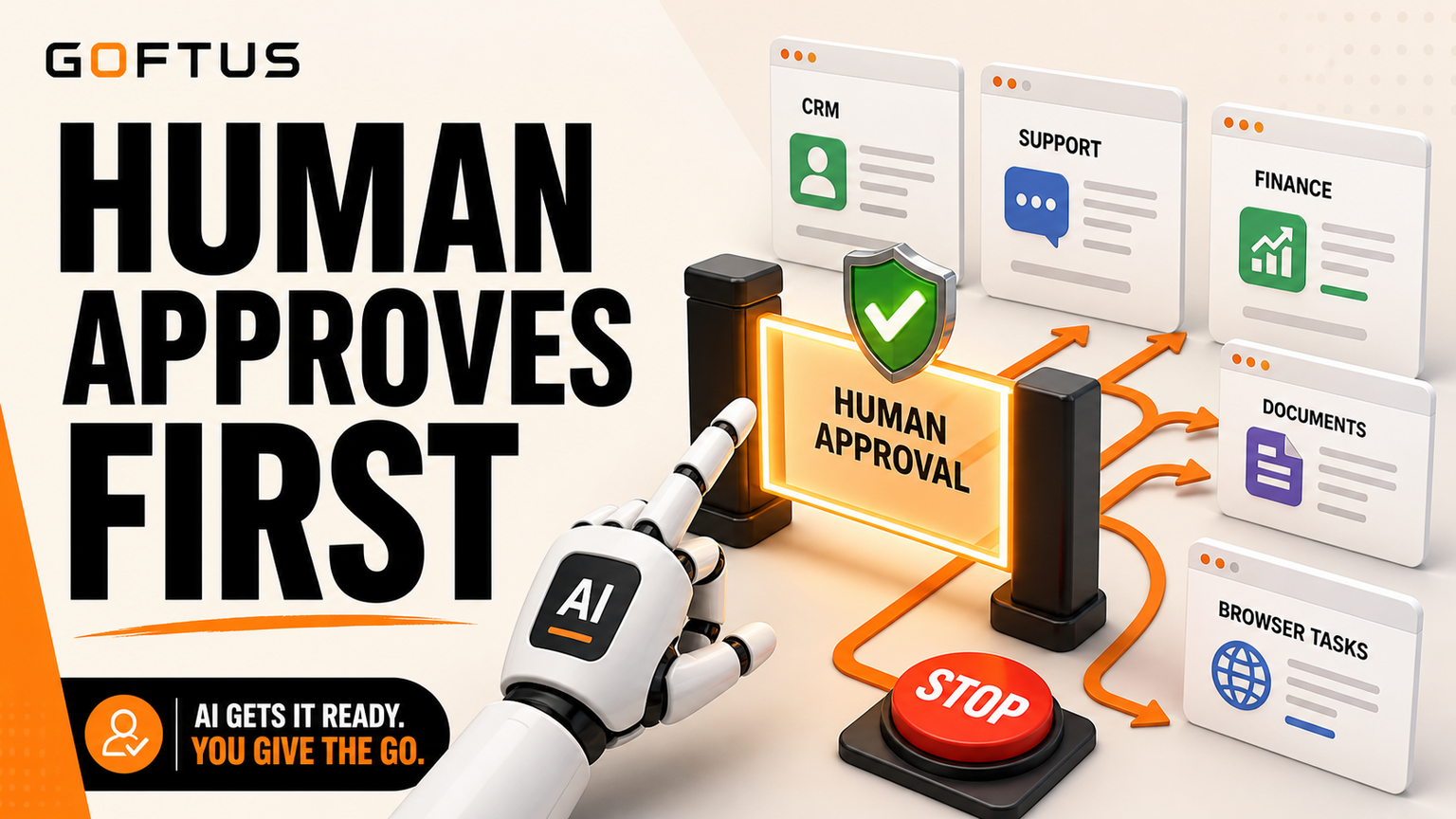
# Human in the Loop Automation for SMEs: Approve AI Actions Before Workflows Move Human in the loop automation means AI can prepare useful work, but a named person still approves the action before it changes a customer
Human in the Loop Automation for SMEs: Approve AI Actions Before Workflows Move
Human in the loop automation means AI can prepare useful work, but a named person still approves the action before it changes a customer record, sends a finance update, edits a document, submits a browser form, or routes a support case. The business problem for UK, US, and EU SMEs is how to get speed without letting AI quietly move the wrong workflow.
For GOFTUS, the answer is not more prompts. It is a workflow design with approval gates, action logs, login boundaries, exception rules, and a human owner for every risky step. If your team wants this mapped into practical automation, start with /services and build from the workflow outward.
What this means for SMEs
Most small and mid sized businesses do not fail with AI because the model cannot write a message. They fail because nobody owns the step after the message is written. Who checks whether the customer is active? Who confirms the quote margin? Who approves a refund? Who decides whether an agent can log into a web portal? Who reviews the action when the data source disagrees with the CRM?
That is why human in the loop automation is becoming a buyer problem, not a research phrase. A model release or social demo can make AI look ready to act everywhere. Operators then need a safer question: which actions should AI prepare, which actions should AI recommend, and which actions can AI complete only after approval?
A good SME pattern is green, amber, and red lanes. Green work is low risk and reversible, such as drafting an internal summary, classifying an enquiry, or preparing a checklist. Amber work needs a human click, such as updating a CRM stage, sending a support reply, booking a call, or changing a document used by sales. Red work needs stricter control, such as finance changes, access permissions, legal wording, production systems, customer refunds, and browser actions that submit forms.
GOFTUS uses this lane model because it keeps automation practical. The AI can still reduce admin, speed up handoffs, and spot missed follow up. The difference is that every action has a boundary, an owner, and a log.
Where AI actions need approval first
The first approval layer should sit where AI touches business state. CRM is the obvious example. An agent can draft the next step, enrich a lead, and suggest a follow up. But it should not silently mark a deal as qualified, change a forecast, or email a high value prospect without a check.
Support has the same issue. AI can answer repeated questions, triage tickets, and suggest refund or escalation paths. But when a customer is upset, the workflow should show the source answer, the proposed response, the risk flag, and the human approval button. That protects the brand while still saving time.
Documents are another risk area. AI can extract details from PDFs, build handover notes, and update internal knowledge. But edits to policies, proposals, onboarding files, and compliance notes need source links and review history. Without that, the team may not know whether an answer came from an approved document or a confident guess.
Browser based work is where controls matter even more. A browser agent that can click, paste, download, or submit a web form should run inside narrow workflows with login boundaries, stop rules, and visible approvals. This is where the GOFTUS /agents offer fits: agents should work inside controlled processes, not wander through websites with open ended instructions.
What SMEs should do next
Start by listing the five workflow actions where a mistake would cost money, trust, or time. For each action, write down the source system, destination system, decision owner, review trigger, and log you need after the action. Then decide whether AI can prepare, recommend, or complete the step.
A practical first build might be support triage. AI reads a customer question, matches approved FAQ content, suggests an answer, flags billing or complaint risk, and routes the task to sales or support. The human approves before the reply goes out. Later, the workflow can add CRM notes, reporting, and browser steps.
That is the GOFTUS difference. We design the workflow around the task: intake, source check, approval, action, log, and improvement. Teams can still use SaaS tools where they make sense. The control layer is what turns those tools into a business system.
Faculty AI, Deeper Insights, Waracle, Brainpool AI, LeewayHertz, Markovate, SoluLab, BairesDev, Addepto, STX Next, Netguru, and 10Clouds can all be useful partners for parts of AI delivery. SaaS tools such as Zapier, n8n, Relevance AI, Lindy, Gumloop, Bardeen, Make, and Stack AI can also automate individual steps.
The gap for SMEs is ownership. A tool may trigger a task. A consultant may build a model. But the business still needs rules for approval, handoff, audit, fallback, and monthly improvement. Tools automate tasks. GOFTUS automates the workflow around the task.
That means the final design includes what happens before and after the AI action. Who approves the browser submission? Where is the exception stored? How does support see the decision? How does sales know the lead moved? How does finance stop an unapproved change? These are workflow questions, not model benchmark questions.
Human in the loop automation is the safe middle ground between manual admin and uncontrolled agents. Let AI draft, classify, extract, route, and prepare actions. Keep humans in control of the moments that change money, customer experience, access, documents, or browser based systems.
If you are a UK, US, or EU SME, the right first step is a workflow diagnostic. Pick one repeated process, map the risky actions, and add approval gates before scaling. GOFTUS can help design that through /services, then extend it into /agents when the process is ready for controlled AI action.
What is human in the loop automation for SMEs?
It is a workflow where AI prepares or recommends a business action, while a person approves the step before it changes a system, sends a message, submits a form, or affects a customer.
When should an AI agent need human approval?
Use approval for CRM updates, finance changes, support replies, browser submissions, document edits, access changes, refunds, and any action that is hard to reverse or easy to misunderstand.
Can this still save time?
Yes. AI can remove the slow research, drafting, routing, and checking work. Humans spend less time preparing the action and more time approving the important decision.
Where should SMEs start?
Start with one repeated workflow that already creates admin drag, such as sales follow up, support triage, document processing, reporting, or FAQ to CRM routing.
Direct article access may vary, so these are used as headline-level context for the business workflow lesson.