Document Automation for SMEs: Keep Business Knowledge When Key Staff Leave
Document automation helps SMEs capture staff knowledge, route approvals, and protect CRM, support, operations, and handovers when key people leave.
# Document Automation for SMEs: Keep Business Knowledge When Key Staff Leave Meta description: Document automation helps SMEs capture staff knowledge, route approvals, and protect CRM, support, operations, and handovers
Document Automation for SMEs: Keep Business Knowledge When Key Staff Leave
Meta description: Document automation helps SMEs capture staff knowledge, route approvals, and protect CRM, support, operations, and handovers when key people leave.
Quick answer
Document automation is not just scanning PDFs or storing files in a drive. For SMEs, it is the operating system that captures how work is done, turns repeated answers into reusable guidance, routes approvals, and keeps CRM, support, finance, and operations moving when key staff leave.
The buyer problem is clear: SMEs need document automation before knowledge sits in one person's head.
What this means for SMEs
Many small and mid-sized companies run on invisible knowledge. One person knows how customer refunds are approved. Another knows which spreadsheet feeds the weekly report. A founder remembers which supplier needs special handling. A senior admin knows which CRM field sales actually trusts. None of that is dangerous until someone goes on holiday, leaves, gets overloaded, or hands work to an AI tool that cannot see the real process.
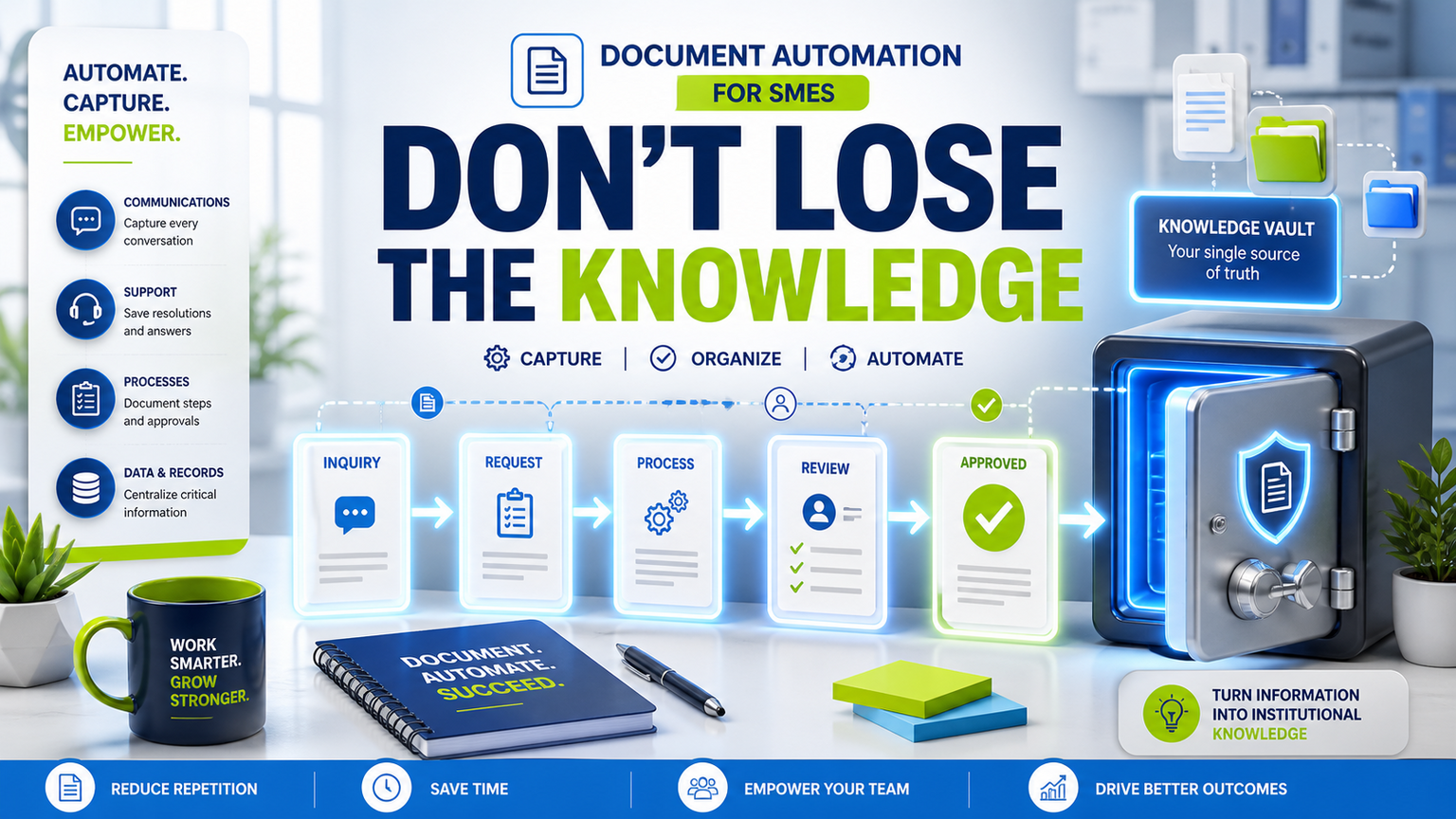
Document automation gives that knowledge a workflow. It captures the question, source file, decision rule, owner, approval path, and next action. A policy document can become a support answer. A customer email can become a CRM task. A supplier form can become a checklist with exceptions. A handover note can become a searchable internal knowledge item. The point is not to create a larger folder structure. The point is to make important knowledge usable at the moment work happens.
This matters more as SMEs adopt AI assistants and automation tools. If the underlying process is undocumented, AI can only guess from fragments. It may produce a polished answer that misses the real exception, old approval rule, or customer promise. Good document automation gives AI and staff a controlled source of truth, plus a route to ask a human when the record is missing or risky.
Where document automation should start
Start with the workflows where absence hurts. Common examples include sales handovers, support escalations, onboarding checklists, refund approvals, recurring reports, supplier records, compliance evidence, pricing exceptions, and project closeout notes. If a manager leaving would create confusion, that workflow deserves capture.
GOFTUS usually maps four layers. First, capture the real inputs: emails, forms, documents, chat notes, tickets, and CRM records. Second, structure the knowledge into useful fields: customer, issue, decision, owner, deadline, evidence, and next step. Third, connect the workflow to approvals and systems, such as CRM updates, support queues, document storage, reporting dashboards, or AI agents that prepare work. Fourth, measure what is still unanswered so the knowledge base improves every month.
That last layer is where many projects fail. A one-off documentation push goes stale quickly. A workflow keeps learning because every unanswered question, exception, and manual correction becomes a signal for improvement.
What SMEs should do next
Pick one business area where a departing or overloaded person would slow the company down. Do not begin with every document. Begin with ten repeated questions or handoff moments. For each one, write the answer, the source, the owner, the approval point, and the system that needs updating after the decision.
Then decide what automation can safely do. A green lane might draft a support reply from approved guidance. An amber lane might prepare a CRM update but wait for a manager. A red lane might stop before refunds, legal promises, salary data, sensitive customer records, or supplier commitments. These lanes help staff trust the system because automation is useful without pretending every action is low risk.
The GOFTUS services approach is to build around the current workflow rather than force a platform change. That might mean connecting a website form, shared drive, CRM, helpdesk, spreadsheet, n8n flow, Make scenario, or custom script. The output should be simple: fewer repeated questions, clearer handovers, faster follow-up, better exception routing, and visible ownership.
Competitor lens
Tools such as Zapier, n8n, Make, Bardeen, Gumloop, Lindy, Relevance AI, and Stack AI can move data and trigger useful tasks. Consultants across the UK, US, and Europe, including firms such as Faculty AI, Deeper Insights, Waracle, Brainpool AI, LeewayHertz, Markovate, SoluLab, BairesDev, Addepto, STX Next, Netguru, and 10Clouds, can also help with AI strategy, software delivery, or specialist builds.
The gap appears between task automation and workflow ownership. A tool can copy a file, summarize a ticket, or update a row. A consultant can advise on architecture. But an SME still needs someone to define the source of truth, approval rules, exception paths, CRM or support handoff, review cadence, and success metric. Tools automate tasks. GOFTUS automates the workflow around the task.
For document automation, that difference matters. The valuable outcome is not a smarter folder. It is a business process that keeps running when people change roles, customers ask the same question again, or an AI assistant needs verified context before taking action.
Summery for SMEs
If knowledge only lives in staff memory, chat history, or scattered files, AI automation will amplify the gaps. SMEs should capture business knowledge as part of a working process: question, evidence, owner, approval, system update, and improvement loop. Document automation is the practical bridge between messy knowledge and safe AI-enabled operations.
FAQ
What is document automation for SMEs?
It is the process of turning repeated documents, questions, approvals, and handovers into structured workflows that staff and AI tools can use safely.
Does document automation replace staff knowledge?
No. It captures staff knowledge, makes it searchable, and routes exceptions back to the right person when human judgement is needed.
Where should a business begin?
Begin with the workflow where one person leaving, being busy, or missing context would create the most operational risk.
How does this connect to AI agents?
AI agents work better when they have approved sources, boundaries, and action lanes. Document automation gives them that context before they touch business systems.
Source notes
These are used as context, not as claims about the Reddit poster.
GOFTUS framing: document automation should connect captured knowledge to CRM, support, reporting, approvals, and human review, not sit as static files.