Custom AI Agents vs No-Code AI Agents: Which Should a Business Choose?
No-code AI agents are useful for simple workflows. Custom AI agents are better when ownership, data, permissions, audit logs, and edge cases matter.
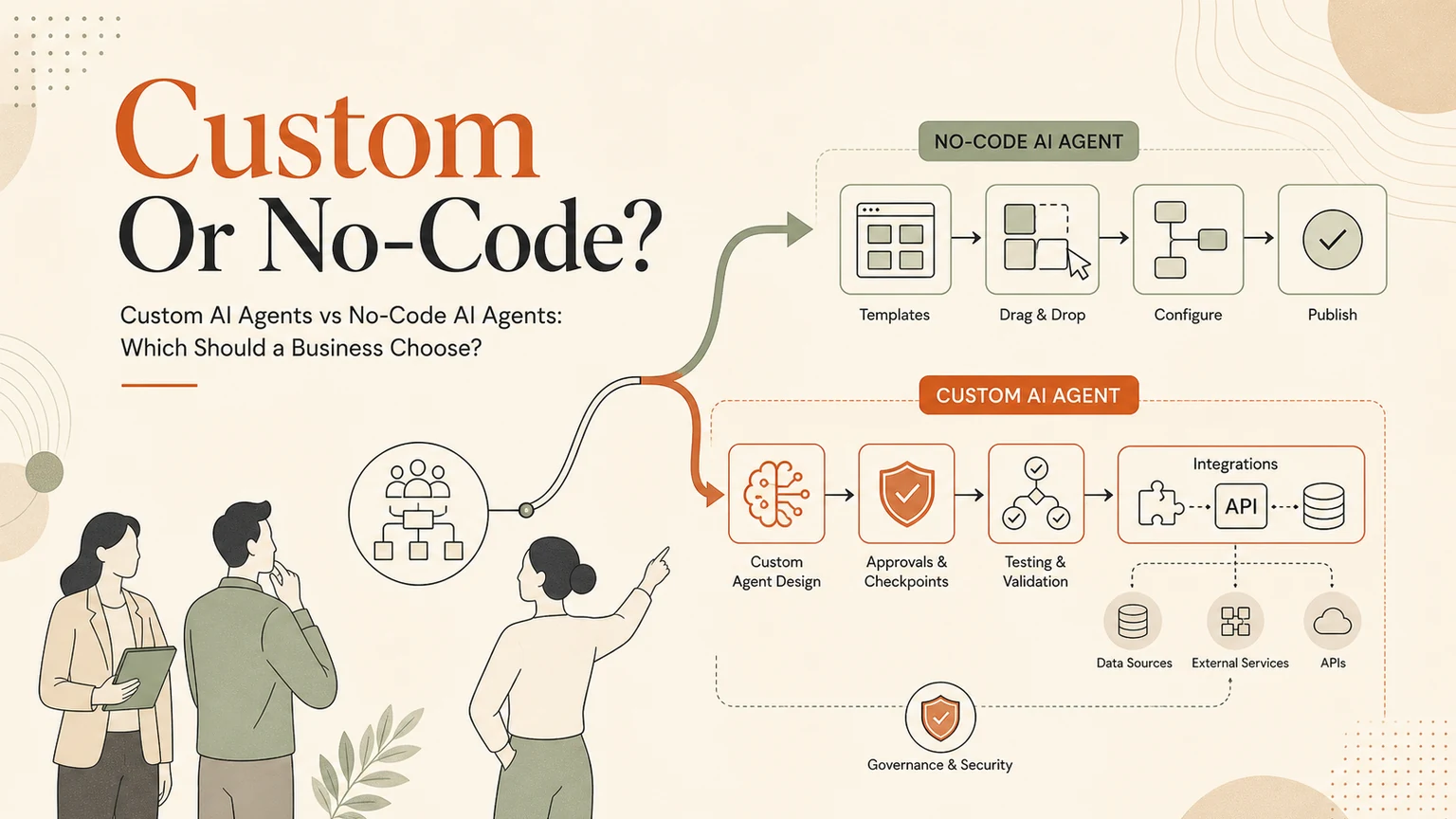
# Quick answer Choose no-code AI agents when the workflow is simple, low-risk, and close to the templates already available. Choose custom AI agents when the workflow touches sensitive data, needs approval gates, depend
Quick answer
Choose no-code AI agents when the workflow is simple, low-risk, and close to the templates already available. Choose custom AI agents when the workflow touches sensitive data, needs approval gates, depends on multiple systems, requires audit logs, or has exceptions that a template cannot handle well.
The decision is not about whether no-code is good or bad. It is about how much control the business needs.
Where no-code AI agents work well
No-code agents are useful when a team needs to test a workflow quickly. They can connect common apps, route simple triggers, draft content, summarize inputs, move information between tools, and prove whether a workflow is worth improving.
Good no-code candidates include:
internal notifications
simple lead routing
draft generation
spreadsheet updates
basic enrichment
reminders
low-risk content preparation
simple CRM or helpdesk handoffs
The main advantage is speed. A non-technical team can often build and change a simple flow without waiting for custom engineering.
Where no-code starts to struggle
No-code tools can become fragile when the workflow becomes operationally important. The issue is rarely the first version. The issue is what happens after the first version meets real edge cases.
Watch for these signs:
too many conditional branches
unclear ownership
sensitive data moving across too many tools
no review gate before risky actions
limited audit history
weak permission boundaries
hard-to-test browser steps
brittle prompts hidden inside a workflow
unclear fallback when a tool fails
If the business cannot explain who approved an action or why an agent changed a record, the workflow needs stronger control.
Where custom AI agents make sense
Custom AI agents are worth considering when the workflow is important enough to need its own operating design. That usually means the agent must understand business context, connect to internal systems, respect permissions, log activity, and pause for review at the right time.
Good custom-agent candidates include:
customer support triage with human handoff
CRM follow-up with owner assignment
document review with approval status
browser-controlled workflows in external portals
reporting that pulls from multiple systems
compliance-sensitive operations
sales workflows with pricing or quote review
internal knowledge retrieval with access boundaries
Custom does not mean reckless. A custom GOFTUS agent should still start narrow, use human approval for sensitive steps, and expand only after the pilot proves value.
The comparison that matters
The useful question is not, “which tool has more features?” The useful question is, “what kind of failure would hurt the business?”
If a no-code agent sends the wrong internal reminder, the risk may be low. If an agent changes customer data, sends a pricing promise, submits a form, or updates a browser portal, the business needs stronger boundaries.
Use this decision rule:
If the workflow is simple and reversible, try no-code first.
If the workflow is complex but low-risk, prototype in no-code and document the limits.
If the workflow is sensitive, customer-facing, cross-system, or hard to audit, design a custom agent with controls.
How GOFTUS approaches the choice
GOFTUS does not treat custom agents and no-code tools as enemies. The right build may use both. A no-code tool can be a fast front door for a pilot. A custom agent can handle the parts that need stronger context, permissions, logs, and approval gates.
The build should follow the workflow, not the tool preference.
When to choose GOFTUS
Choose GOFTUS when the business needs help deciding the architecture, not just wiring another trigger. That includes mapping the workflow, choosing safe automation lanes, setting approval gates, designing logs, and making sure the system can be supported after launch.
Next step
Compare options at /compare/custom-ai-agents-vs-no-code-ai-agents or bring one workflow to /contact and ask which path fits best.