Claude Workflow Automation for SMEs: Approvals, Logs, and Browser Controls Before Action
Claude workflow automation helps SMEs add approvals, audit logs, browser controls, CRM handoffs, and human review before AI agents act safely.
# Claude Workflow Automation for SMEs: Approvals, Logs, and Browser Controls Before Action Claude workflow automation is moving from experiment to operating decision for SMEs. Anthropic describes Opus 5 as stronger for
Claude Workflow Automation for SMEs: Approvals, Logs, and Browser Controls Before Action
Claude workflow automation is moving from experiment to operating decision for SMEs. Anthropic describes Opus 5 as stronger for coding and knowledge work, with faster modes and alignment claims.
That does not mean every business should let an AI model take direct action across CRM, finance, support, documents, or browser sessions. It means owners need a clearer operating system for deciding what AI can draft, what it can recommend, and what it may only do after approval. GOFTUS treats the model launch as a workflow-control signal, not a reason to buy another tool and hope staff self-manage it.
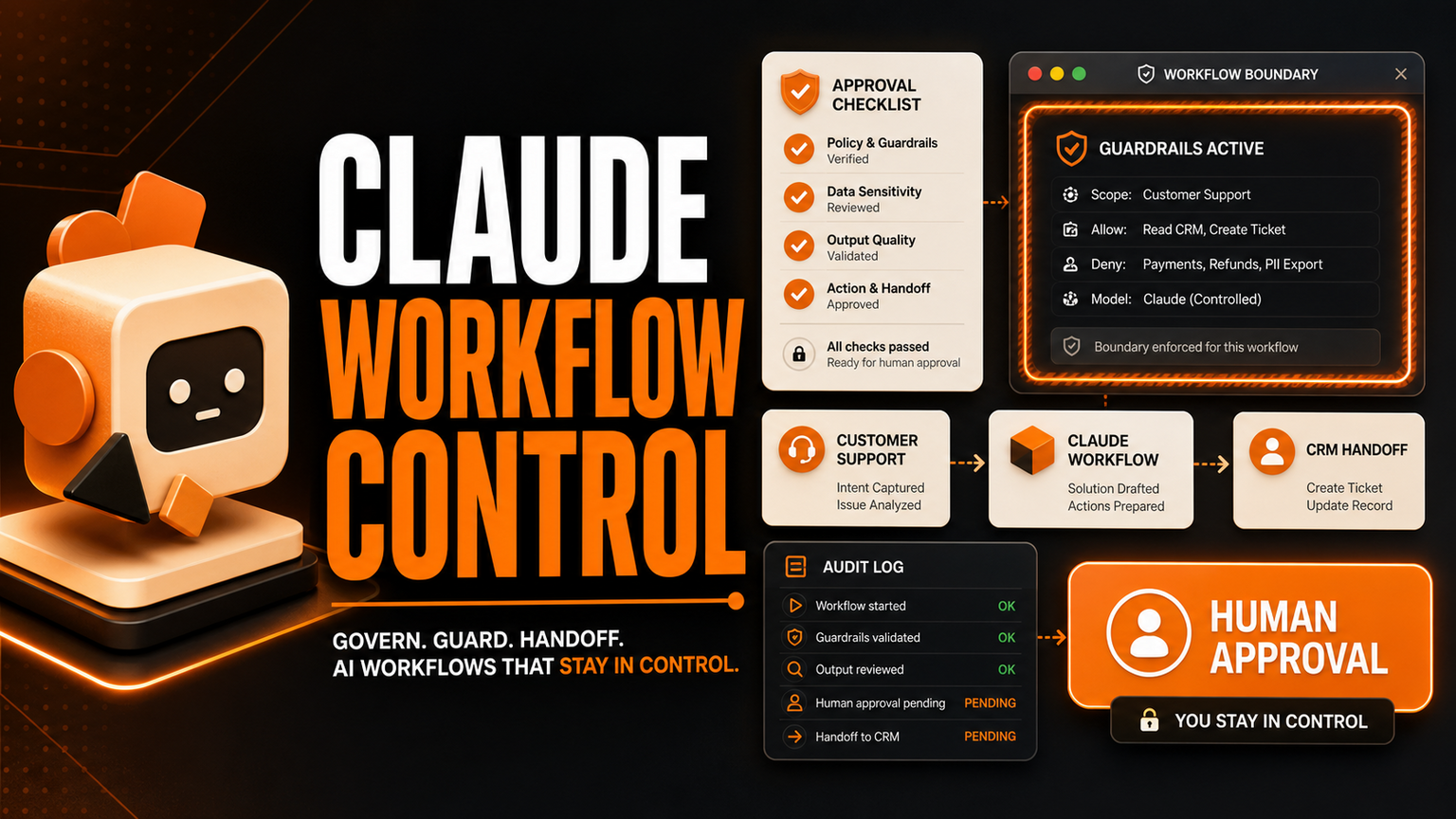
SMEs should use Claude workflow automation for bounded work first: drafting replies, summarising documents, preparing support actions, writing internal notes, checking CRM context, or planning browser tasks. The safe version includes human approval, audit logs, field-level limits, login boundaries, and clear stop rules before any action reaches customers or core systems. If you want this built around your real process, GOFTUS can map it through /agents and connect it to wider automation through /services.
What this means for SMEs
The practical change is not simply better AI output. The practical change is that more employees will ask AI to do longer sequences of work. A sales assistant may ask Claude to prepare follow-up emails, update a CRM note, and find missing deal context. A support lead may ask it to classify a ticket, draft a response, and route escalation. A founder may ask it to compare suppliers, fill a browser form, or prepare a finance handoff.
Each task sounds small. Together they create operational risk if nobody owns the workflow around the task. The model may be capable, but the business still needs decisions about who approves the action, where the evidence is stored, what fields can be changed, what the fallback route is, and how managers review outcomes weekly.
For UK, US, and EU SMEs, the right first step is to split AI work into three lanes. Lane one is drafting and research, where AI prepares content but cannot commit changes. Lane two is assisted action, where AI proposes a CRM update, support routing decision, browser action, or document output for a human to approve. Lane three is narrow automation, where repeated low-risk actions can run after rules, logs, and exception handling are proven.
Bharatvaj's view is that Claude Opus 5 should make owners more ambitious and more disciplined at the same time. Better models make weak workflows look usable for a short period. Then the business discovers missing approvals, duplicated follow-up, unclear responsibility, messy prompts, and no reliable evidence trail.
The winning move is to design the workflow first. Decide which customer, sales, support, document, browser, and reporting actions matter. Decide which actions require approval. Decide what gets logged. Decide what happens when AI confidence is low, source material is incomplete, or the customer request is sensitive.
This is where GOFTUS differs from a normal software install. We do not only connect Claude, n8n, CRM, browser tools, or support apps. We define the handoff between them and build the approval layer that keeps the workflow usable after launch.
Where browser controls fit
Browser work is where many AI-agent ideas become risky. A browser with ai controls can help an SME automate admin screens, supplier portals, support dashboards, lead forms, and reporting consoles. But the browser should not become a free roaming employee. It needs permitted domains, blocked actions, download rules, password boundaries, approval checkpoints, screenshots or action logs, and a clear stop button.
For example, an AI assistant can gather details from a customer email, open the CRM, prepare the update, and show the proposed change. A person approves before the record changes. Later, the business may automate a narrower step, such as adding a standard internal note or opening a draft ticket. The important point is that the workflow moves from observed draft to approved action to limited automation, not straight from prompt to production.
Faculty AI, Deeper Insights, Waracle, Brainpool AI, LeewayHertz, Markovate, SoluLab, BairesDev, Addepto, STX Next, Netguru, and 10Clouds can all be useful for AI delivery, data projects, or software engineering. SaaS tools such as Zapier, n8n, Relevance AI, Lindy, Gumloop, Bardeen, Make, and Stack AI can also automate useful task chains.
What competitors are missing is often the operating layer after the demo works. Tools automate tasks. GOFTUS automates the workflow around the task. That means intake, permissions, approvals, logs, exception routing, CRM or support handoff, reporting, and monthly improvement. The task may be a Claude draft, a browser action, a support reply, or a document check. The business value comes from the controlled workflow, not from the model name alone.
What SMEs should do next
Start with one high-friction workflow where staff already use AI informally. Good candidates are support triage, CRM follow-up, proposal drafting, document review, weekly reporting, supplier research, and browser-based admin. Map the current steps, then mark each step as draft only, approval required, or safe to automate later.
Next, decide the evidence trail. A useful Claude workflow automation setup should record the source material used, the suggested action, the human decision, the final system update, and the exception reason if the action was stopped.
Finally, connect the workflow to a commercial outcome. Faster support routing should reduce missed replies. CRM follow-up should reduce dropped leads. Browser controls should reduce repetitive admin while protecting accounts. GOFTUS can help SMEs turn this into a practical build through /agents for AI-agent workflows, /services for automation systems, or /contact for a diagnostic call.
Claude Opus 5 is a fresh signal that AI agents will become more useful for coding, knowledge work, and business operations. SMEs should not respond by giving AI unrestricted access to tools. They should respond by building approval-first workflows. Use Claude for drafting, reasoning, support preparation, CRM context, and browser task planning. Add human approval before customer-visible or system-changing actions. Keep audit logs, stop rules, and review loops. Then automate only the narrow parts that prove safe and valuable.
Should SMEs use Claude Opus 5 directly in operations?
Yes, but only inside a defined workflow. Use it to draft, summarise, prepare, classify, and recommend. Do not let it change records, send customer messages, move money, or submit browser forms without approval until the workflow is tested and logged.
What is the safest first Claude workflow automation project?
Pick a repeated staff bottleneck with clear inputs and outcomes. Support triage, CRM follow-up, document review, and weekly reporting are stronger first projects than broad autonomous agents because they can be measured and reviewed.
How does GOFTUS help with AI-agent workflow control?
GOFTUS maps the process, defines approval lanes, connects the systems, adds logs, and creates improvement routines. The aim is not a flashy demo. The aim is a workflow that staff can trust every week.
Direct article text from RSS listings was not treated as independently scraped body text.