BrowserAct Agent Build Shows Browser Automation Needs Human Controls
BrowserAct's same-day Agent Build signal shows why SMEs need approval gates, logs, and workflow ownership before browser agents act.
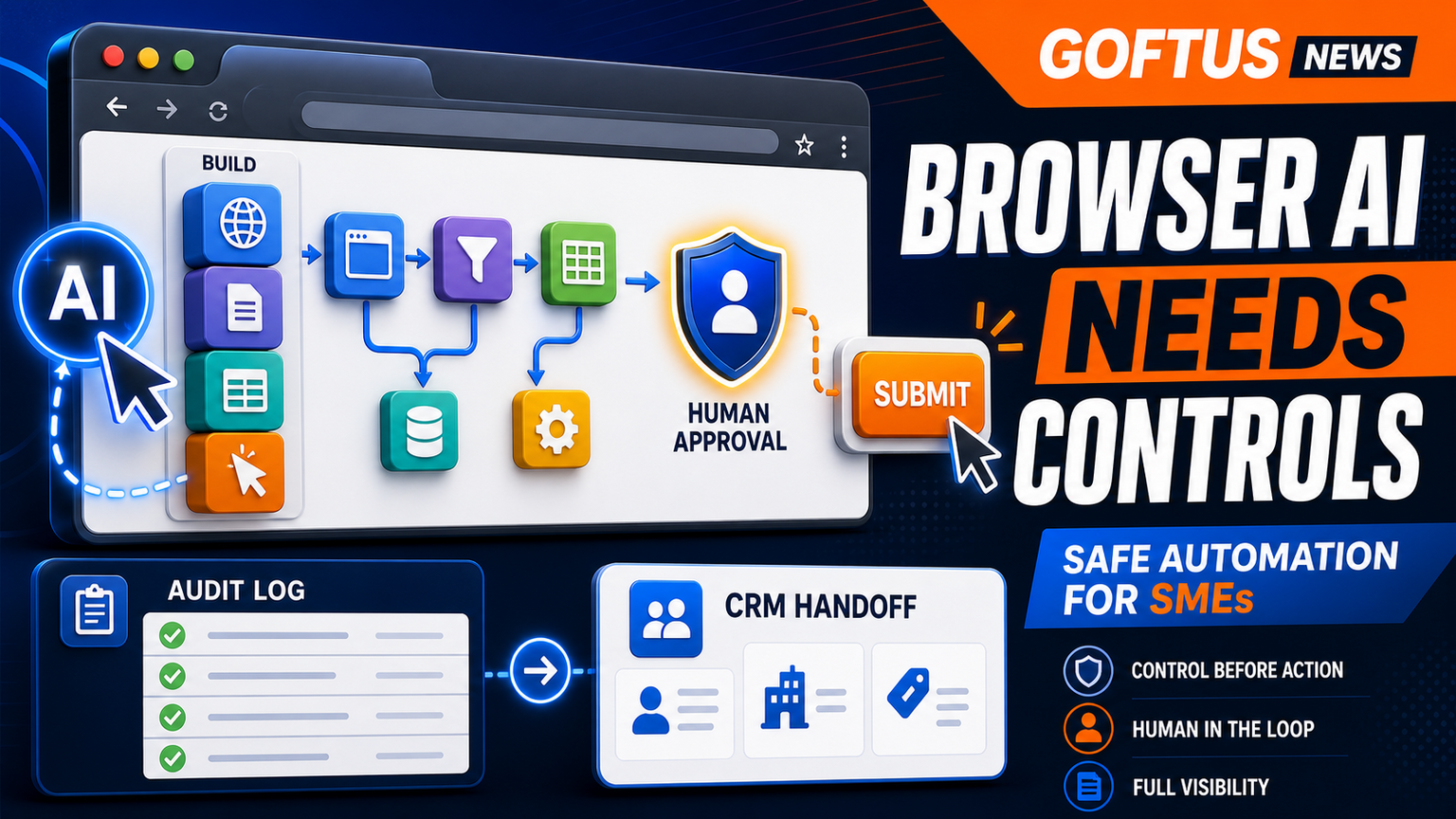
# BrowserAct Agent Build Shows Browser Automation Needs Human Controls Meta description: BrowserAct's AI web scraper signal shows why SMEs need browser automation controls, approval gates, logs, and workflow ownership b
BrowserAct Agent Build Shows Browser Automation Needs Human Controls
Meta description: BrowserAct's AI web scraper signal shows why SMEs need browser automation controls, approval gates, logs, and workflow ownership before agents act.
Quick answer
BrowserAct's same-day Agent Build announcement is a useful signal for UK, US, and EU SMEs because it points to a wider shift: browser automation is moving from scripts that follow fixed instructions to agents that can plan, build, test, and repair browser workflows from a prompt. That is powerful for messy web portals, supplier dashboards, insurance systems, marketplace listings, recruiting tools, and internal admin screens where clean APIs do not exist.
The business lesson is not that every SME should let an AI agent loose in a browser. The lesson is that browser work needs a control layer before it becomes a production workflow. GOFTUS would start with the workflow boundary: which website, which login, which fields, which data, which action, which approval, which log, and which handoff into CRM, support, reporting, or document automation. For teams exploring this, GOFTUS can map the safe first use case through /agents or the wider automation service at /services.
What this means for SMEs
Browser-based work is where many small and mid-sized businesses still lose hours. Staff copy information from a supplier portal into a spreadsheet. A support lead checks a dashboard, updates a CRM, sends a follow-up email, and asks someone else to review the exception. A finance operator downloads statements, renames files, and adds notes before a manager signs off. These tasks look simple, but they sit across logins, permissions, messy pages, and judgement calls.
The BrowserAct signal matters because it shows vendors are trying to compress more of that work into prompt-driven browser agents. An agent that can build and test a scraper from one instruction could reduce setup time. It could also create a false sense of safety if the business only sees the demo. A scraper or browser agent is not a workflow by itself. It is one moving part inside a business process.
The practical SME question is: what happens before and after the browser action? Before the action, the business needs a narrow scope, approved domains, role-based login boundaries, data handling rules, and a clear stop condition. During the action, it needs screen evidence, field-level logs, exception detection, and human approval for anything that submits, buys, deletes, updates a customer record, changes pricing, or sends a message. After the action, it needs a handoff into CRM, support, documents, reporting, or a human task queue.
That is why GOFTUS frames browser automation as workflow design, not just tool selection. The tool can click. The workflow decides when a click is allowed.
Hajikreena's view
Hajikreena's view is that browser agents will be adopted first in the unglamorous back-office gaps that APIs have not solved. The demand will come from operators who say, "we already know the steps, but our team keeps doing them manually." That is a good starting point, but only if the first build is intentionally boring.
A safe first browser automation is not "run the whole admin department." It is one portal, one repeatable task, one source record, one output record, and one approval point. For example, an agent can collect supplier status from a dashboard, draft an update in the CRM, flag exceptions, and wait before sending anything to a customer. Another agent can gather FAQ-style customer questions from a website form and route them into /services#faq-automation so the business can answer repeated questions before they become missed leads.
The wrong move is to buy a tool because it can browse. The right move is to define the operational promise: fewer missed checks, faster follow-up, better evidence, cleaner handoffs, and fewer unreviewed actions. That is the difference between an exciting demo and a workflow the owner can trust.
What SMEs should do next
Start with a browser-task inventory. List the portals, dashboards, and web apps that still require manual copying, checking, downloading, or form entry. Then score each task by volume, risk, and business value. The best first candidates are frequent, rules-based, and reversible. Avoid high-risk payment, legal, HR, security, or customer-facing actions until the control pattern is proven.
Next, write a control spec before choosing software. It should answer five questions. What websites can the agent open? What data can it read? What fields can it change? Which actions need human approval? What evidence must be logged? If those answers are unclear, the automation is not ready.
Then connect the browser step to the rest of the workflow. A browser agent that finds a lead should update the CRM and assign follow-up. A support browser task should update the ticket and feed unanswered questions into FAQ automation. A finance browser task should store documents and generate a review queue. GOFTUS helps SMEs design these handoffs through /services, /agents, and the Startup Kit style diagnostic at /contact.
Finally, measure outcomes monthly. Do not only count clicks saved. Count exceptions caught, follow-ups completed, unanswered questions reduced, review time shortened, and handoffs completed without rework.
Competitor lens
The market is crowded for good reasons. SaaS tools such as Zapier, n8n, Relevance AI, Lindy, Gumloop, Bardeen, Make, and Stack AI can be useful for connecting tasks. Consultancies such as Faculty AI, Deeper Insights, Waracle, Brainpool AI, LeewayHertz, Markovate, SoluLab, BairesDev, Addepto, STX Next, Netguru, and 10Clouds can help teams explore larger AI programmes.
GOFTUS takes a narrower operating position for SMEs: tools automate tasks. GOFTUS automates the workflow around the task. That means approval design, exception routing, evidence logs, CRM updates, support handoffs, document processing, reporting, and ongoing improvement are treated as part of the build, not optional extras after the demo.
For browser agents specifically, this difference matters. A browser tool can open a page and click a button. A GOFTUS workflow decides when that button is safe to click, who reviews it, where the proof is stored, and what happens when the page changes.
Summery for SMEs
BrowserAct's Agent Build announcement is a fresh sign that browser automation is becoming easier to create. For SMEs, easier creation raises the bar for governance. The next advantage will not belong to the business with the most experimental agents. It will belong to the business that turns browser work into controlled workflows with approvals, logs, stop rules, and connected follow-up.
If your team still copies data between portals, dashboards, CRM, support tools, documents, and spreadsheets, the opportunity is real. Start small. Pick a repeatable browser task. Keep human approval before risky actions. Connect the result to /services, /agents, or /services#faq-automation when customer answers are involved. Then improve the workflow from real exception data.
FAQ
Should SMEs use browser agents now? Yes, but only for narrow workflows with clear rules, approval points, and logs. A browser agent should start as an assistant for one repeatable task, not an unrestricted employee.
What is the safest first browser automation? Choose a task that reads or drafts before it submits. Good examples include gathering portal status, preparing CRM notes, downloading documents, or routing support questions for review.
How does this connect to GOFTUS services? GOFTUS designs the workflow around the browser task: scope, permissions, approval gates, logs, CRM or support handoff, reporting, and improvement. Start at /agents or /services.