Browser With AI Controls: How SMEs Can Let AI Agents Work Safely Online
Browser with AI controls helps SMEs let AI agents use web apps safely through approvals, audit logs, domain limits, and human review steps now.
# Browser With AI Controls: How SMEs Can Let AI Agents Work Safely Online Meta description: Browser with AI controls helps SMEs let AI agents use web apps safely through approvals, audit logs, domain limits, and human r
Browser With AI Controls: How SMEs Can Let AI Agents Work Safely Online
Meta description: Browser with AI controls helps SMEs let AI agents use web apps safely through approvals, audit logs, domain limits, and human review steps now.
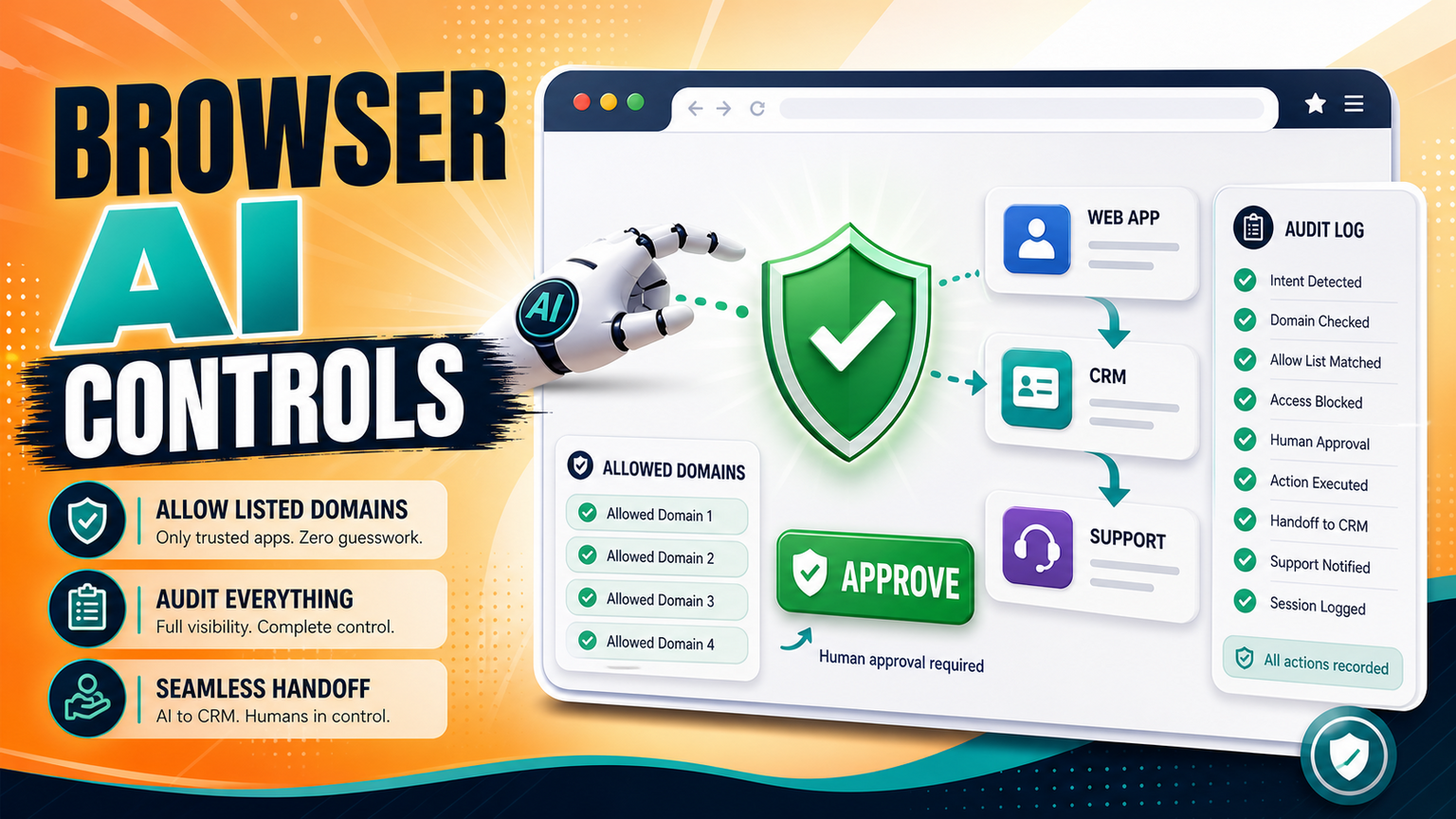
Browser with AI controls means giving AI agents a safe, narrow lane for browser-based work instead of letting them click around business systems freely. The fresh signal is practical: AWS has published guidance on controlling where AI agents can browse with Chrome enterprise policies on Amazon Bedrock AgentCore. That combination matters for SMEs in the UK, US, and Europe because the question is no longer only whether an AI agent can use a web app. The question is whether the business has approvals, logs, domain boundaries, and human review before the agent touches CRM, support, finance, or supplier portals.
For GOFTUS, the buyer problem is simple: if an AI agent can act in a browser, the workflow around that action needs to be designed first. See /agents for practical agent workflows and /services when the browser task needs CRM, support, document, or reporting automation around it.
What this means for SMEs
Most SMEs already run key operations through browser tools. Sales teams update CRM records. Support teams answer portal tickets. Finance teams download invoices. Operations teams log into supplier dashboards, booking portals, spreadsheets, and admin panels. A browser agent can help with those repetitive steps, but it also increases the blast radius of a small mistake.
The AWS AgentCore browser-policy story moves the conversation from model capability to operating control. An agent should not simply receive an instruction like "update the customer record" and then be trusted across every tab, login, and submit button. It should have a defined job, allowed domains, a clear approval point, a record of what it saw and changed, and a human stop rule when the page does not match the expected workflow.
This is especially important for businesses without a large internal AI governance team. A manufacturer, recruitment firm, agency, clinic, legal office, ecommerce operator, or B2B services company may not need a full enterprise platform on day one. It does need a reliable pattern: automate the repeatable parts, pause before irreversible action, and leave enough evidence for a manager to understand what happened.
That is where browser with AI controls becomes a buyer-searchable requirement, not a technical nice-to-have. The safer question is not "Can AI use our website tools?" It is "Which browser steps can AI do, which steps require approval, and where should the action be logged?"
What browser with AI controls should include
A useful browser-agent workflow starts with scope. Pick one narrow process, such as checking a lead form, opening the CRM, filling draft notes, attaching the source page, and preparing a follow-up task. Do not begin with a broad instruction that lets the agent roam across multiple tools.
Next, set boundaries. The agent should know which domains it can visit, which forms it can edit, which downloads are allowed, and which buttons are never pressed without human approval. For sensitive workflows, GOFTUS usually separates read-only steps from action steps. Reading a support ticket is lower risk than closing it. Drafting a CRM note is lower risk than sending a quote. Preparing a refund note is lower risk than clicking submit.
Then add approval. Human approval should not be a vague Slack message after the fact. It should be part of the workflow: show the evidence, show the intended action, ask for approval, and record the decision. If the page changes, the agent should stop. If the customer record is missing, it should stop. If the data conflicts with the source document, it should stop.
Finally, connect the result back to the business system. Browser automation is rarely the whole job. The useful outcome is the CRM task created, the support ticket routed, the document attached, the report updated, or the exception escalated. That is why GOFTUS positions browser agents as part of workflow automation rather than as standalone bots.
SaaS tools and automation platforms can be valuable here. Zapier, Make, n8n, Bardeen, Gumloop, Lindy, Relevance AI, and Stack AI help teams connect apps and prototype automation quickly. Consultants such as Faculty AI, Deeper Insights, Waracle, Brainpool AI, LeewayHertz, Markovate, SoluLab, BairesDev, Addepto, STX Next, Netguru, and 10Clouds can also help larger teams explore AI delivery.
The gap appears when the agent leaves clean API automation and starts working through a browser. Browser tasks include messy pages, changed layouts, login states, missing fields, popups, downloads, and real buttons that affect customers. Tools automate tasks. GOFTUS automates the workflow around the task. That means defining the owner, approval gate, audit log, escalation route, integration handoff, and monthly improvement loop.
A business does not need to reject tools. It needs to avoid treating a browser agent as the finished system. The safer model is tool plus workflow design plus monitoring. GOFTUS can build the narrow agent, connect it to CRM or support, set the review points, and make sure the human team still understands the process.
What SMEs should do next
Start with a browser-action inventory. List the repeated browser tasks your team performs every week. Mark which steps are read-only, which create drafts, which update records, and which submit or send something externally. The last group needs the strongest controls.
Then pick one workflow with clear value and low ambiguity. Good first candidates include checking web leads before CRM follow-up, routing support requests, collecting supplier portal updates, preparing invoice evidence, or drafting responses from a knowledge base. Avoid beginning with high-risk financial approvals, HR decisions, legal commitments, or customer-facing sends unless a human approval step is mandatory.
GOFTUS can help turn that inventory into an agent workflow through /agents, or into a wider service build through /services. The aim is not to make AI click faster for its own sake. The aim is to make routine browser work measurable, reviewable, and safe enough for a real team to depend on.
If you are unsure where to begin, use /contact or the Startup Kit diagnostic to identify the first browser workflow where controls, logs, and human review will create the most operational value.
Browser agents are becoming more practical, but practical does not mean unsupervised. The latest browser-control signals show that the next advantage for SMEs is not only model access. It is workflow control: allowed domains, approval gates, logs, stop rules, and business-system handoffs. Build the process before giving the agent the button.
What is browser with AI controls?
It is a controlled way for AI agents to use web apps, where the business defines allowed websites, safe actions, approval points, logging, and stop rules before the agent acts.
Should SMEs let AI agents click submit buttons?
Only when the workflow includes a human approval step, evidence review, and a clear audit log. Drafting is usually safer than final submission.
Where should browser controls connect inside GOFTUS services?
Most browser-agent projects should connect to /agents for the agent design and /services for CRM, support, document, or reporting workflow integration.