AI Governance for Microsoft Teams: How SMEs Control Meetings, Bots, and Workflow Risk
AI governance helps SMEs control Teams meetings, AI bots, archives, approvals, audit logs, and CRM follow-up before collaboration risk spreads.
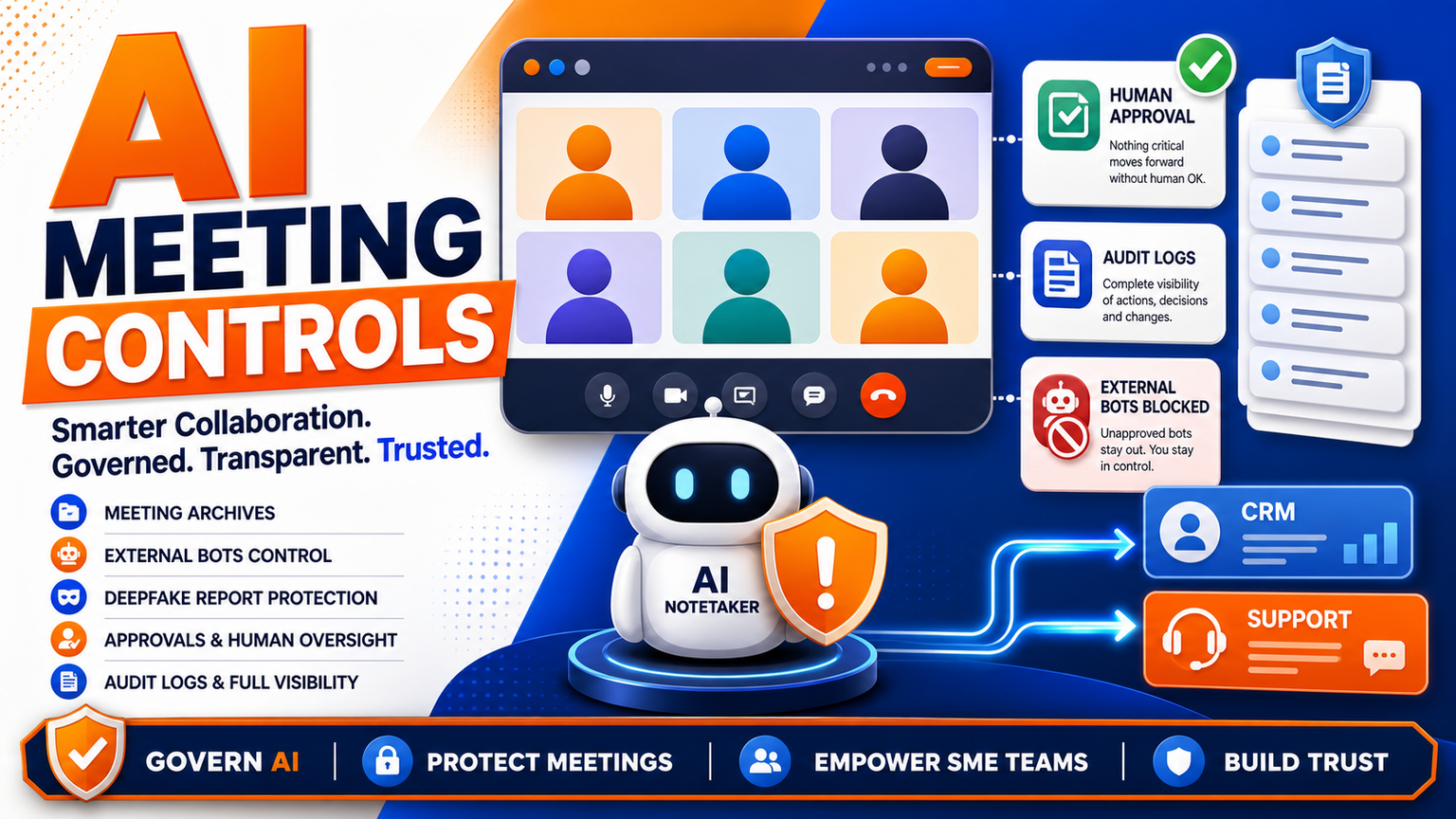
# AI Governance for Microsoft Teams: How SMEs Control Meetings, Bots, and Workflow Risk Meta description: AI governance helps SMEs control Teams meetings, AI bots, archives, approvals, audit logs, and CRM follow-up befo
AI Governance for Microsoft Teams: How SMEs Control Meetings, Bots, and Workflow Risk
Meta description: AI governance helps SMEs control Teams meetings, AI bots, archives, approvals, audit logs, and CRM follow-up before collaboration risk spreads.
Quick answer
AI governance is no longer only a board policy or a security document. For many SMEs, the first place it becomes operational is inside Microsoft Teams, Outlook, CRM notes, support channels, and browser-based admin portals where staff already work every day. Treat that as a collaboration-risk signal, not a single confirmed platform verdict.
For UK, US, and European operators, the practical question is simple: who decides when an AI meeting assistant may join, record, summarize, route, or trigger follow-up work? GOFTUS helps SMEs answer that question through workflow-first /services design: approvals, logs, handoff rules, exception queues, and human review around the tools the business already uses.
What this means for SMEs
Microsoft 365 changes matter because Teams is not just a chat app. It is where sales calls are discussed, support decisions are made, finance approvals are requested, HR topics appear, and customer commitments are captured. When AI meeting archives, notetakers, bots, summaries, or deepfake reporting features enter that environment, the risk is not only technical. It is operational.
A small business can have good people and still lose control if every department installs a different assistant, every call produces a different summary, and nobody owns the follow-up record. A useful AI note can become a liability if it is copied into the wrong CRM field, treated as a confirmed decision, or used by a junior team member without context. A blocked bot can also create friction if the team has no approved alternative.
That is why AI governance needs to move from policy language into daily workflow controls. The goal is not to ban AI from meetings. The goal is to define when AI is allowed, what it can see, what it can produce, who approves the output, where the record is stored, and how mistakes are corrected.
Hajikreena's view
The most important lesson from the Microsoft 365 signal is that collaboration platforms are becoming workflow engines. A meeting recap is no longer just a note. It may become a support ticket, a CRM next step, a proposal task, a compliance record, or a management report. Once that happens, governance has to cover the journey after the meeting, not only the meeting app itself.
SMEs should start with a meeting-to-action map. Pick one repeated workflow: sales discovery, client onboarding, supplier follow-up, internal project review, or support escalation. Write down the point where AI listens, the point where AI drafts, the point where a human approves, and the point where a system is updated. If there is no named owner for each step, the workflow is not ready for autonomy.
GOFTUS usually recommends three control layers. First, access controls: which meetings, channels, accounts, and browser sessions are in scope. Second, action controls: whether AI can only summarize, draft, suggest, or actually update another system. Third, evidence controls: logs, source links, approval status, rejected drafts, and review notes. This keeps AI useful without turning every meeting into an unmanaged automation trigger.
Practical AI governance workflow
A sensible Microsoft Teams AI governance setup for SMEs can be built in six steps.
1. Define approved meeting types. For example, allow AI summaries for sales qualification and project standups, but require manual permission for HR, legal, finance, or sensitive customer calls.
2. Create a bot and notetaker register. List every approved assistant, who owns it, what permissions it has, and what data it can access.
3. Route outputs into a review queue. Summaries, tasks, CRM updates, and support notes should be reviewed before they become official records.
4. Separate draft from decision. AI can draft a follow-up email, but a human should approve the customer-facing message and the promised next step.
5. Log the workflow. Keep the meeting source, AI output, approver, final action, and exception reason in one place.
6. Review monthly. Remove unused bots, update rules, compare rejected outputs, and improve prompts or workflow boundaries.
This is where GOFTUS differs from a simple tool setup. The implementation is not just connecting Teams to another app. It is designing the control loop around the work.
Competitor lens
SaaS tools such as Zapier, n8n, Make, Lindy, Gumloop, Bardeen, Relevance AI, and Stack AI can be useful for moving data or triggering actions. Consultancies such as Faculty AI, Deeper Insights, Waracle, Brainpool AI, LeewayHertz, Markovate, SoluLab, BairesDev, Addepto, STX Next, Netguru, and 10Clouds can also support larger AI programmes.
The gap for many SMEs is ownership after the demo. A bot can join a meeting. A workflow builder can create a task. A consultant can produce a strategy. But the business still needs somebody to define the approval point, failed-action path, CRM rule, support handoff, audit log, and improvement cadence.
Tools automate tasks. GOFTUS automates the workflow around the task. That means the control design is part of the build, not an afterthought.
Summery for SMEs
If Microsoft 365, Teams, or another collaboration platform is adding more AI features, do not wait for a perfect enterprise governance programme. Start with one repeated workflow and make the controls visible. Decide what AI can read, what it can draft, what it can update, and where humans must approve. Then connect those rules to the systems that matter: CRM, support, documents, reports, and browser-based admin tasks.
For SMEs, the winning move is not more AI everywhere. It is safer AI in the places where decisions become work.
What SMEs should do next
If your team already uses AI meeting notes or browser agents, audit one week of activity. Which meetings were summarized? Which actions were created? Which records were updated? Which outputs were checked by a person? If the answers live in different chats or inboxes, you have an AI governance workflow problem.
GOFTUS can help map that workflow, design the approval gates, connect the right systems, and build a practical operating model through /services. For teams that want a smaller first step, the £100 Startup Kit diagnostic can identify one safe automation lane before a larger AI rollout.
FAQ
What is AI governance for Microsoft Teams?
It is the practical control system around AI features, meeting bots, summaries, archives, and follow-up automation in Teams and related Microsoft 365 workflows. It defines who can use AI, what data it can access, what actions need approval, and how outputs are logged.
Should SMEs block AI meeting bots?
Not automatically. The better approach is to approve specific bots for specific workflows, restrict sensitive meetings, require human review before customer or CRM action, and keep logs of what AI produced.
How does GOFTUS help?
GOFTUS designs the workflow around the tool: access boundaries, approvals, logs, routing, CRM/support handoff, and monthly improvement. The service starts with the business process, then connects automation only where it is safe and useful.
Source notes
Direct article pages were accessible during drafting, but the post uses headline-level, cautious interpretation rather than unsupported implementation claims.
X signal: xurl was not installed in this cron environment, so no X evidence was used.