AI Code Generator Approval Workflow: How SMEs Add Review Gates Before Deployment
A practical approval workflow for SMEs using AI code generators, with review gates, test evidence, audit logs, and deployment control.
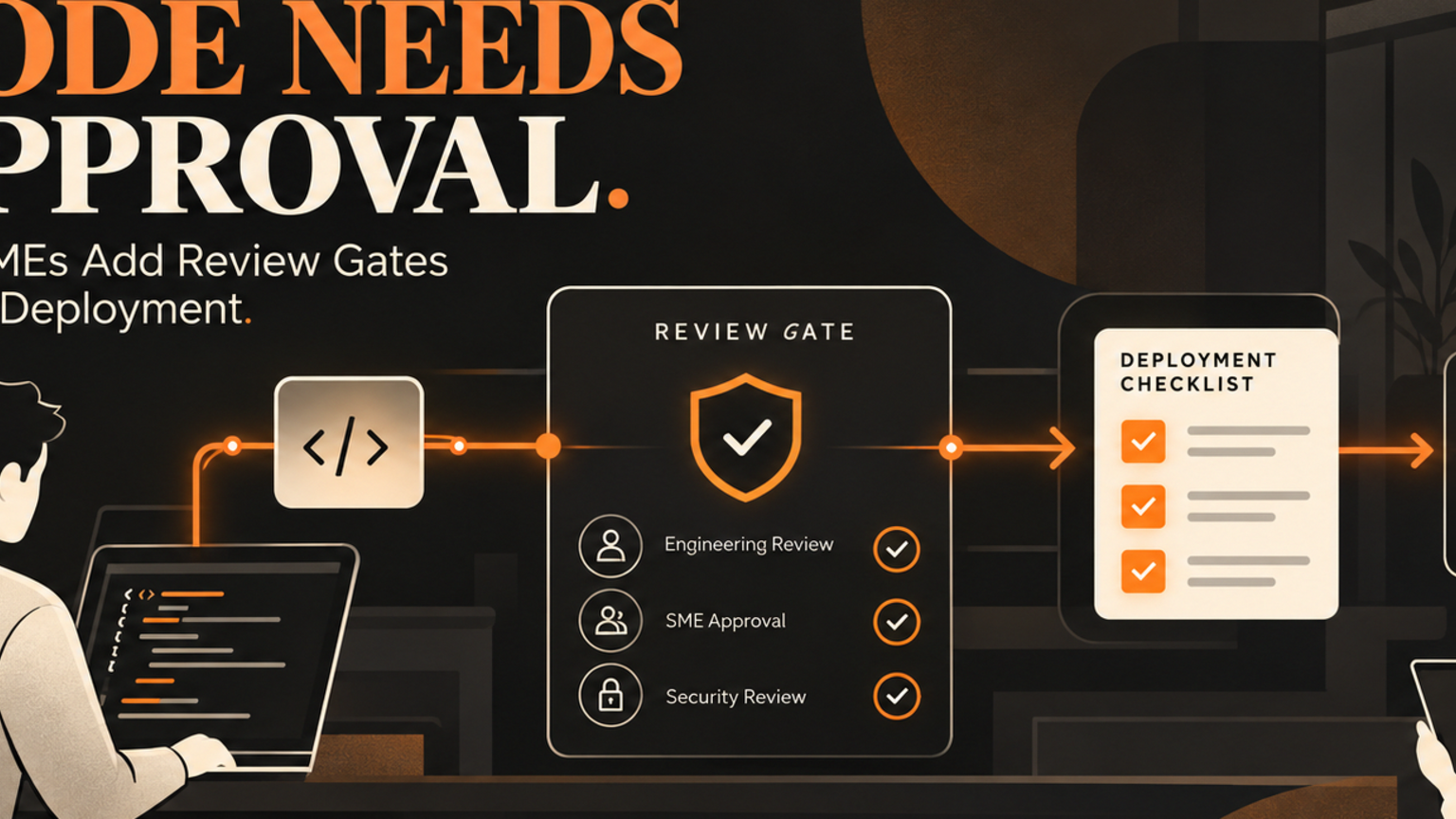
AI code generator approval workflows help SMEs use AI coding tools safely by routing every AI-created change through scope checks, review owners, test evidence, deployment approval, and an audit trail before it touches production. AI code generators are useful, but they are not a deployment process. A founder, technical lead, or operations manager still needs to know who asked for the change, what system it touches, how the output was reviewed, and when it is safe to release. The goal is not to slow developers down. The goal is to stop a quick prototype from becoming an invisible business risk.
Quick answer
An AI code generator approval workflow is a controlled route for AI-assisted code changes. It separates ideas, code creation, testing, human review, and release approval so teams can move faster without letting unreviewed code alter customer data, finance records, support systems, CRM rules, or website workflows.
For SMEs, the practical version is simple: define what the AI tool may suggest, who reviews it, what evidence is required, and which changes need a final human sign-off. This mirrors the wider AI risk-management principle that organizations should govern, map, measure, and manage AI risks across the lifecycle.[3]
What is an AI code generator approval workflow?
An AI code generator approval workflow is the operating process around tools that create or edit code from prompts. It covers permissions, review gates, test evidence, rollback planning, and audit logs.
This matters because modern AI tools can sit close to real systems. Vendor guidance already points in this direction. OpenAI says business users control internal sources, access, and available features for enterprise products.[1] Microsoft describes Copilot agents, actions, and connectors as ways to extend skills and knowledge across the Microsoft 365 ecosystem, with admins able to manage enterprise-grade agents and extensibility through Microsoft 365 controls.[2] Anthropic documents permission-based coding workflows where file edits, commands, network requests, and suspicious commands can require approval, and says users remain responsible for reviewing proposed code and commands for safety.[4]
The business lesson is clear: the tool is only one layer. The workflow decides whether AI-assisted code becomes safe operational leverage or another unmanaged shortcut.
Where SMEs should add review gates
Start with the points where a bad change can create customer, revenue, or compliance damage.
Use these gates:
Scope gate: What problem is the AI code generator allowed to solve?
Data gate: Does the change touch customer records, payment data, staff data, or private documents?
System gate: Does it change CRM, support, finance, website checkout, login, permissions, or reporting logic?
Test gate: What test, screenshot, or log proves the change works?
Review gate: Who reviews the code and the workflow impact?
Release gate: Who approves deployment, rollback, and monitoring?
Audit gate: Where is the prompt, output, reviewer, approval, and release note stored?
For low-risk internal scripts, one reviewer and a test note may be enough. For customer-facing systems, the approval workflow should include a named owner, test evidence, rollback notes, and a record of the final release decision.
Practical workflow example
Imagine a support manager asks an AI code generator to create a small automation that tags incoming tickets by urgency and updates a CRM field.
Without a workflow, the tool might generate code, a developer might paste it into a script, and the team may only notice problems after customers are routed incorrectly.
With a GOFTUS-style workflow, the request first becomes a short change card: goal, systems touched, allowed data, failure risk, and expected outcome. The AI tool can suggest code, but it cannot decide the deployment path. A technical reviewer checks the logic. A support lead checks the routing rules. A test run uses sample tickets, not live customer data. If the result passes, the release owner approves deployment and logs the rollback path.
That is human-approved AI automation. The AI helps produce the work. The business still owns the decision.
Checklist before AI-generated code is deployed
Before an AI-generated change goes live, ask:
1. Is the business problem clear enough that the code can be judged?
2. Does the prompt include private data that should not leave the business?
3. Which system, database, workflow, or customer touchpoint can be affected?
4. Has a human reviewed the output for logic, security, and maintainability?
5. Has the team tested success and failure cases?
6. Is there a rollback plan if the change breaks a workflow?
7. Is the approval recorded with owner, date, evidence, and release note?
8. Does the workflow show when future AI edits need fresh approval?
If the answer is unclear, the change is not ready. The next step is not another prompt. It is a tighter workflow diagnostic.
Common mistakes
The first mistake is treating AI-generated code as if it is a finished feature. It is usually a draft that still needs ownership, testing, and context.
The second mistake is approving prompts instead of approving outcomes. A polished response does not prove the workflow is safe. The reviewer needs evidence: tests, logs, screenshots, sample records, and rollback notes.
The third mistake is using the same approval rule for every change. A script that renames internal files is not the same as a change that updates customer status, sends emails, or changes payment logic.
The fourth mistake is losing the audit trail. When nobody can find the prompt, model output, reviewer decision, or release note, the business cannot improve the process next time.
Internal CTA: turn code assistance into a governed workflow
If your team is already using an AI code generator, start with the workflow around one repeated change request. GOFTUS can map the approval gates, audit logs, reviewer roles, and release controls around that process before you scale it.
Explore GOFTUS AI agent and workflow controls at `/agents`, review service options at `/services`, or book a workflow diagnostic through `/contact`.
FAQ
What is an AI code generator approval workflow?
It is a business process that routes AI-generated code through scope checks, tests, human review, deployment approval, rollback planning, and audit logging before release.
When should SMEs require human approval for AI-generated code?
Require human approval whenever the change touches customer data, CRM fields, support routing, payments, login, permissions, compliance records, or any workflow that affects a customer or staff member.
Can an AI code generator be used safely by non-developers?
Yes, but only when non-developers use it inside a governed workflow. The safest setup lets staff describe the task, while technical and operational owners review the result before anything changes in production.
What evidence should reviewers check before approving AI-generated code?
Reviewers should check the change request, affected systems, test output, security concerns, workflow impact, rollback path, and the approval record. A code diff alone is not enough.
How does GOFTUS help with AI code generator workflows?
GOFTUS designs human-approved AI automation around the task: intake, permissions, review gates, audit logs, testing, release approval, and handoff into CRM, support, document, or browser-controlled workflows.
Sources
[1] OpenAI Enterprise privacy: https://openai.com/enterprise-privacy/
[2] Microsoft 365 Copilot extensibility ecosystem: https://learn.microsoft.com/en-us/microsoft-365/copilot/extensibility/ecosystem
[3] NIST AI RMF Core: https://airc.nist.gov/airmf-resources/airmf/5-sec-core/
[4] Anthropic Claude Code security: https://docs.anthropic.com/en/docs/claude-code/security