AI Agents for Business: Approval Boundaries Before Assistants Touch Your Tools
AI agents for business need approval boundaries, audit logs, and tool-access rules before assistants touch CRM, support, finance, or browser workflows.
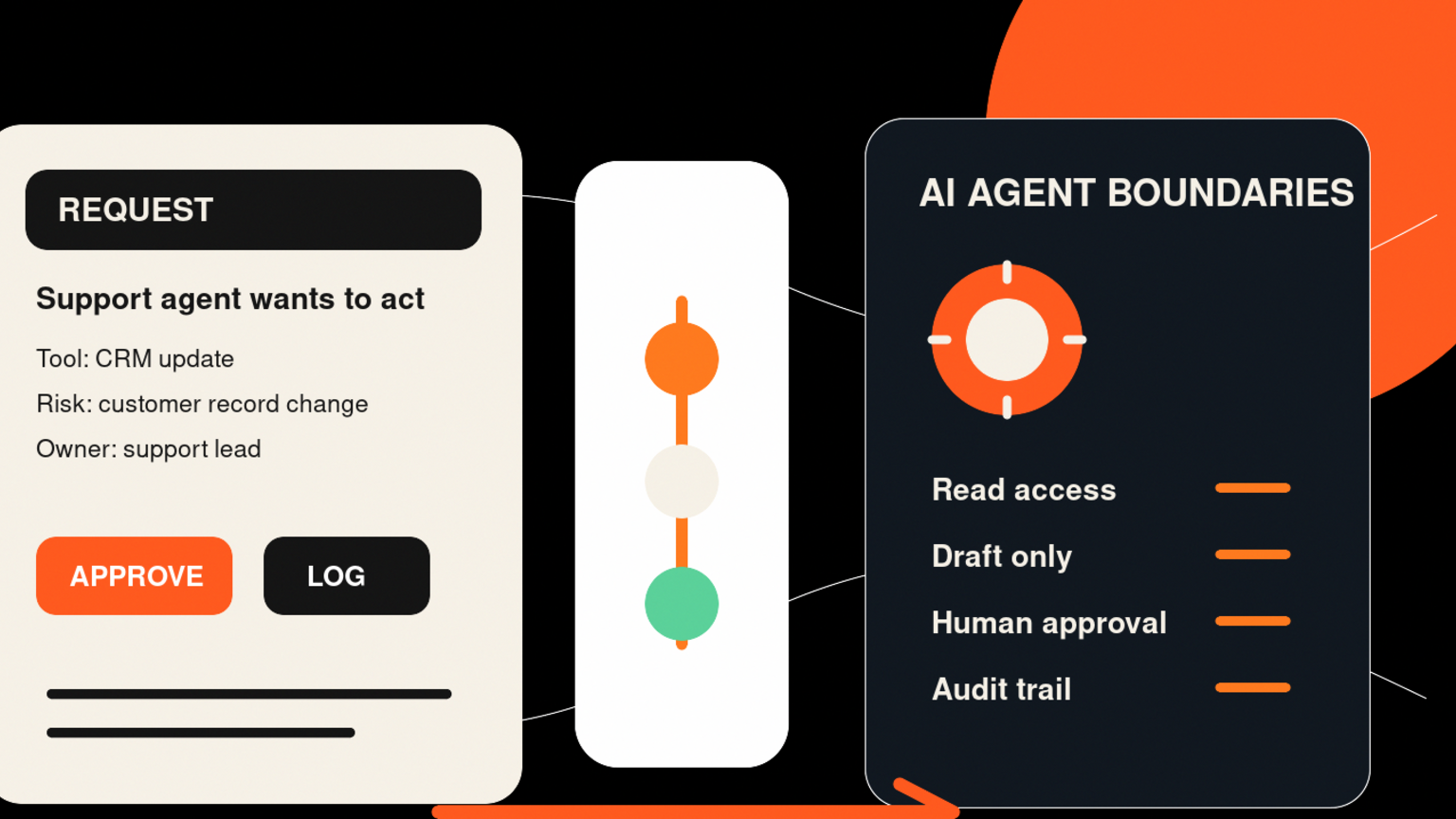
AI agents for business become useful when they can use real tools, but they become safe only when every tool action has a boundary, owner, approval rule, and audit trail before it reaches a customer, file, CRM, finance system, or website. For founders, operators, support leads, and technical teams, the risk is an assistant that reads a request, chooses a tool, updates a record, sends a message, or changes a document without enough control. GOFTUS treats this as an approval workflow problem: AI can prepare the work, but the business decides what it is allowed to do.
Quick answer
AI agents for business should be launched with approval boundaries around every tool they can touch. The practical setup is simple: list the tools, separate read and write access, define safe actions, require human approval for risky changes, record every action, and review failures weekly. That lets SMEs use AI agents for useful work without giving them open access to customer systems, finance records, files, websites, or CRM data.
What are AI agents for business?
AI agents for business are software assistants that can pursue a task by reading context, choosing steps, calling tools, and taking action inside business systems. A normal chatbot answers. An agent can prepare a support reply, update a CRM field, draft an invoice email, search a document store, or request a change in another app.
Microsoft says companies should be able to answer who initiated the request, which agent processed it, which tools were called, whether policy allowed the action, what changed, and whether the action can be reviewed later.[1] SMEs may not need an enterprise control plane on day one, but they need those same basic answers before an agent moves from experiment to daily work.
Why tool access is the real risk
Most teams start by asking which model is best. That matters, but tool access matters more once the agent can act. An agent connected only to a private knowledge base has one risk profile. An agent connected to email, Stripe, HubSpot, Google Drive, Microsoft 365, the website CMS, or browser automation has a different profile.
Microsoft Defender documentation describes protection that inspects agent activity and can audit or block risky actions before they execute.[2] Microsoft Security warns that prompt injection against a summarizer can bias an answer, while prompt injection against an agent can trigger an action.[3]
The lesson for SMEs is to design agents as workflow participants, not magic workers. Give them lanes, gates, logs, and escalation routes.
What this means for SMEs
If your business wants AI agents, start with one workflow where the outcome is valuable but the action can be controlled.
Good first workflows include support triage, lead enrichment, CRM follow-up drafts, document review, inbox sorting, quote preparation, and reporting. The agent can prepare useful work while a person approves the final customer-facing or system-changing step.
Risky first workflows include unrestricted refunds, live website changes, account deletions, payroll edits, finance approvals, bulk outreach, legal responses, or any process where one bad action is expensive to unwind.
GOFTUS usually maps this as four lanes: observe, prepare, approve, act. The agent observes the request, prepares the draft or recommendation, asks for approval when the risk level is high, then acts only inside a defined boundary. If the action touches a browser or external portal, the same idea applies through controlled browser agents and stop rules on /agents.
Practical checklist before an AI agent touches business tools
Use this checklist before connecting an AI agent to production systems.
1. Name the workflow and owner.
2. List the tools the agent can reach.
3. Split permissions into read, draft, update, send, delete, approve, and submit.
4. Define safe, approval-only, and blocked actions.
5. Log the request, tool, proposed action, approver, final action, error, and handoff.
6. Test edge cases: angry customer, missing data, duplicate contact, sensitive file, wrong tenant, and bad prompt.
7. Review failures, near misses, cost, saved time, and customer impact weekly.
If the checklist feels heavy, automate the routing. Do not remove the judgement. That is where human-approved AI automation pays off.
Workflow example: support agent with CRM boundaries
Imagine a growing SME wants an agent to handle first-pass support requests.
The agent reads the inbound message, classifies the issue, checks the help library, finds the customer in the CRM, and drafts a reply. Low-risk questions, such as password reset instructions or delivery status explanations, can be prepared quickly. Anything involving refunds, contract terms, account changes, legal language, or angry customers goes to an approval queue.
The support lead sees the draft, source notes, suggested CRM update, and reason for escalation. After approval, the workflow sends the reply, updates the CRM, adds a follow-up task, and stores an audit trail. A GOFTUS workflow diagnostic can map which parts of that support process should be automated first and which actions should remain gated.
Common mistakes to avoid
Avoid broad access that makes the demo easier and the incident harder. Do not review only model output. For business agents, review tool calls, permissions, data touched, action taken, and who approved the step. Do not treat human approval as a last-minute button. Build it into the workflow design. Finally, measure response time, handoff quality, failed runs, cost, customer satisfaction, and booked diagnostics where relevant.
Competitor lens
No-code tools, automation platforms, and AI agent builders can be useful. They help teams prototype quickly and connect popular apps. What they often miss is operational ownership. A tool can connect the CRM to the inbox. It does not automatically decide who owns the workflow, which action needs approval, what evidence must be logged, how exceptions should route, or when the process should be redesigned.
GOFTUS sits in that gap. We help SMEs turn AI tools into managed workflows with service design, approval gates, audit logs, browser controls, CRM handoffs, and practical improvement loops. If you are comparing build options, start with /services, /agents, and buyer questions on /questions before adding another disconnected app.
Summery for SMEs
AI agents are useful when they reduce manual work. They are risky when they can act inside business tools without clear boundaries. Give each agent a job, owner, permission set, approval rule, log, and review cadence. Start narrow, require approval for anything customer-facing, financial, destructive, public, or hard to reverse, then improve the workflow using real outcomes.
FAQ
What should an SME approve before using AI agents for business?
Approve the workflow, tools, permissions, safe actions, blocked actions, human review points, audit log fields, and escalation owner before the agent touches production systems.
Can AI agents update CRM records safely?
Yes, if the agent has narrow access, clear field rules, duplicate checks, approval gates for sensitive changes, and logs that show who requested the change and what was updated.
How should businesses handle AI agents that use browser tools?
Use browser-controlled agents with stop rules. Let the agent observe and prepare, but require approval before submitting forms, changing settings, downloading sensitive files, or sending information through a third-party portal.
What is the difference between an AI chatbot and an AI agent?
A chatbot mainly responds with text. An AI agent can use tools, call systems, and take steps toward a goal. That makes approval workflows and audit logs more important.
When should a business contact GOFTUS about AI agents?
Contact GOFTUS when an agent idea touches customers, CRM, support, documents, websites, finance, or operations and you need a safe workflow plan before launching it.
Sources
[1] https://learn.microsoft.com/en-us/startups/build/identity-management/identity-fundamentals-ai-agents - Microsoft Learn, Identity for AI agents
[2] https://learn.microsoft.com/en-us/defender-xdr/security-for-ai/ai-agent-real-time-protection - Microsoft Defender XDR, Protect AI agents in real time
[3] https://www.microsoft.com/en-us/security/blog/2026/06/30/securing-ai-agents-ai-tools-move-from-reading-acting/ - Microsoft Security Blog, Securing AI agents when tools move from reading to acting