Claude and 1Password Show Why AI Browser Agents Need Credential Boundaries
Claude and 1Password show why AI browser agents need credential boundaries, human approval, audit logs and workflow ownership before SMEs trust them.
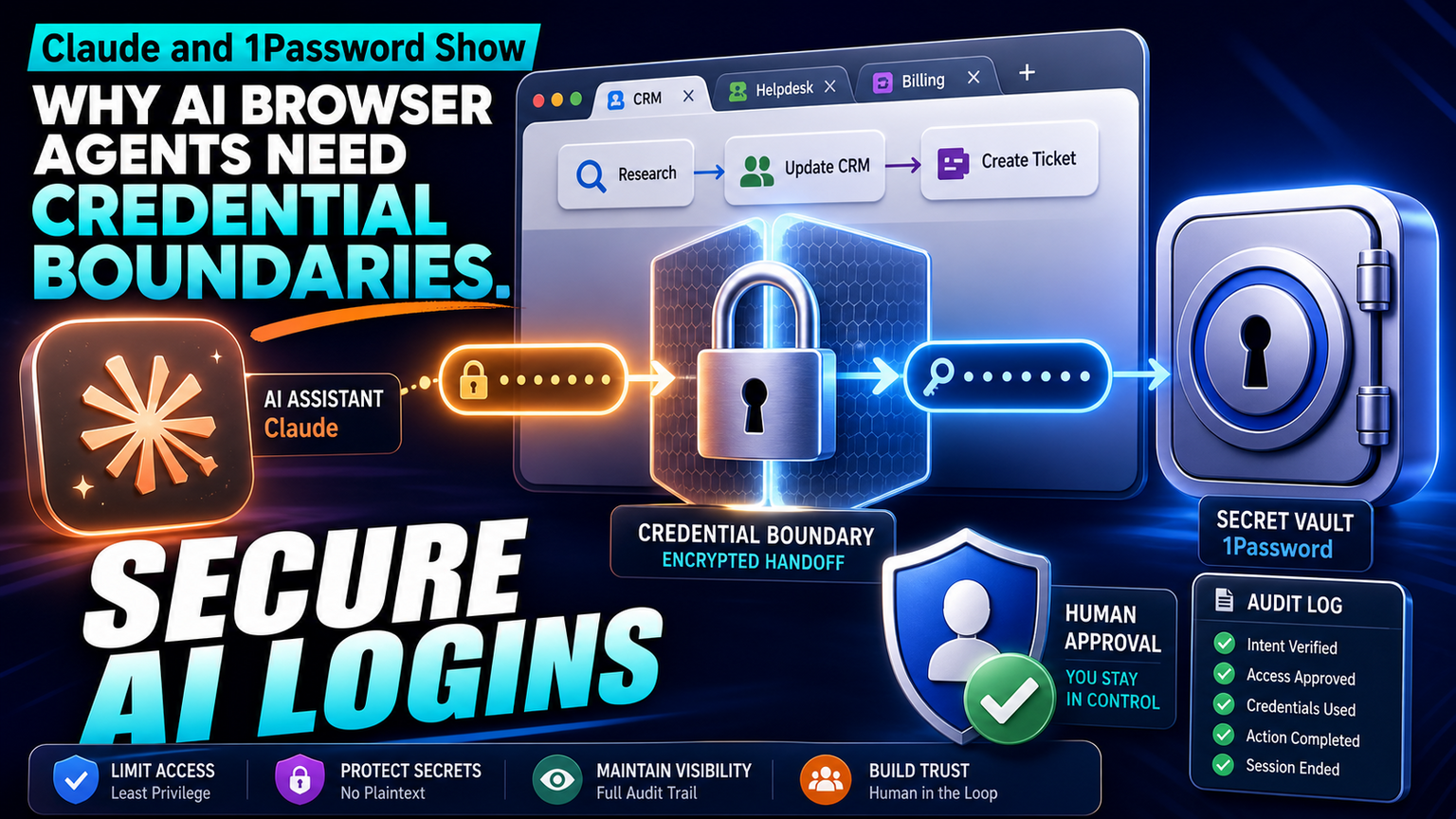
# Claude and 1Password Show Why AI Browser Agents Need Credential Boundaries Meta description: Claude and 1Password show why AI browser agents need credential boundaries, human approval, audit logs and workflow ownershi
Claude and 1Password Show Why AI Browser Agents Need Credential Boundaries
Meta description: Claude and 1Password show why AI browser agents need credential boundaries, human approval, audit logs and workflow ownership before SMEs trust them.
Quick answer
1Password announced 1Password for Claude, an integration designed to let Claude sign in to websites without exposing the underlying credentials to the AI assistant. The signal is not simply that AI assistants can log in. The more important business lesson is that browser agents are moving from demos into real workflows where passwords, portals, customer data and approval rights matter.
For UK, US and EU SMEs, that makes credential boundaries a practical operating question. If an AI agent can open a supplier portal, CRM, support desk, billing app or government form, the business needs rules around what it can see, what it can submit, who approves exceptions, and how every action is logged. That is where GOFTUS positions AI agents: not as unsupervised browser magic, but as narrow workflow systems with permissions, review points and measurable outcomes.
Why this matters now
The 1Password announcement is useful because it focuses on a real blocker for agentic work: credentials. Many SMEs already have browser-based operations that do not fit cleanly into API automation. Staff copy information between portals, download documents, update CRM records, check delivery dashboards, reconcile invoices, submit tickets or chase supplier updates. Browser agents can help with that work, but only if access is bounded.
A simple password handoff is not enough. If a business lets an agent use a login, the business also needs a workflow owner, approved domains, field-level instructions, stop rules, screenshots or logs for review, and a human approval checkpoint before risky actions such as payment, submission, deletion or customer notification. Without that surrounding workflow, the company has automated a task while leaving the operational risk untouched.
That is why GOFTUS connects browser-agent work back to /agents and /services rather than treating it as a tool purchase. The agent is only one component. The workflow around the agent decides whether the outcome is faster service, cleaner follow-up and fewer missed actions, or just another system that needs supervision.
Bharatvaj's view on the signal
Bharatvaj's view is that credential-safe AI will become a normal buying question for SMEs before fully autonomous AI becomes normal. Owners and operators may not ask for an agent architecture diagram. They will ask safer questions: Can it log in without seeing the password? Can it update the CRM but not delete records? Can it draft a response but wait for approval? Can it stop when a portal changes? Can we see exactly what it did?
Those questions are healthy. They shift the conversation away from generic AI productivity and toward accountable workflow design. A browser agent should start with one repeatable process, such as checking a supplier portal each morning, preparing a support ticket from a customer email, gathering missing invoice details, or updating a sales follow-up queue. GOFTUS then defines the allowed websites, data fields, handoff points, review rules and exception routes.
The best early use cases are not high-drama autonomous decisions. They are boring, repeated browser tasks where a person still owns the final judgement. That is also where a small business can measure whether the system saved time, reduced missed follow-ups, improved response quality or exposed process gaps.
Competitor lens
Zapier, Make, n8n, Bardeen, Gumloop, Lindy, Relevance AI and Stack AI can all be useful parts of an automation stack. Larger consultancies such as Faculty AI, Deeper Insights, Waracle, Brainpool AI, LeewayHertz, Markovate, SoluLab, BairesDev, Addepto, STX Next, Netguru and 10Clouds may also help bigger teams design AI programmes. The gap for many SMEs is not tool access. It is deciding which workflow should be automated, how credentials are protected, who approves the agent's work, and how improvements are measured after launch.
Tools automate tasks. GOFTUS automates the workflow around the task. That means a browser agent project should include role-based access, human approval gates, audit evidence, CRM or support-system handoff, fallback instructions, and a monthly review of failed or uncertain actions. The technology matters, but the operating wrapper is what makes it safe enough for a real business.
What SMEs should do next
Start with a browser workflow that already happens every week and already has a clear owner. Examples include checking order status, collecting lead details from a portal, creating a support ticket, updating a CRM stage, preparing a compliance checklist, or gathering documents for a quote. Avoid starting with money movement, legal submission, staff management or high-risk customer decisions.
Next, define the boundary. List the websites the agent may open, the credentials it may request through a vault or approved access layer, the fields it may edit, and the moments when it must stop for a human. Then decide what evidence the business needs: screenshots, action logs, copied records, timestamps, exception reasons and the final human decision.
Finally, connect the result to a service workflow. A browser agent that gathers support context should hand off to support triage. A portal-checking agent should update CRM or reporting. A document-collection agent should feed document automation. If repeated website questions are the starting point, connect the learning loop to /services#faq-automation so customer answers improve over time.
GOFTUS can help map this into a Startup Kit style diagnostic: one workflow, one owner, one controlled agent, and one measurable outcome. If the process is valuable, the business can extend from browser automation into broader AI agents, reporting automation, document processing and CRM follow-up through /services.
Source notes
Hacker News Algolia provided an adjacent developer-community signal for the same Verge story, titled "Claude can now use your 1Password credentials for you", with light discussion.
GOFTUS framing: This article treats the item as a credential-boundary and workflow-governance signal, not as proof that unsupervised agents are ready for every business process.