Browser With AI Controls Is the Next SME Automation Test
AI browser agents are moving into regulated workflows. SMEs need approvals, logs and stop rules before scaling browser automation.
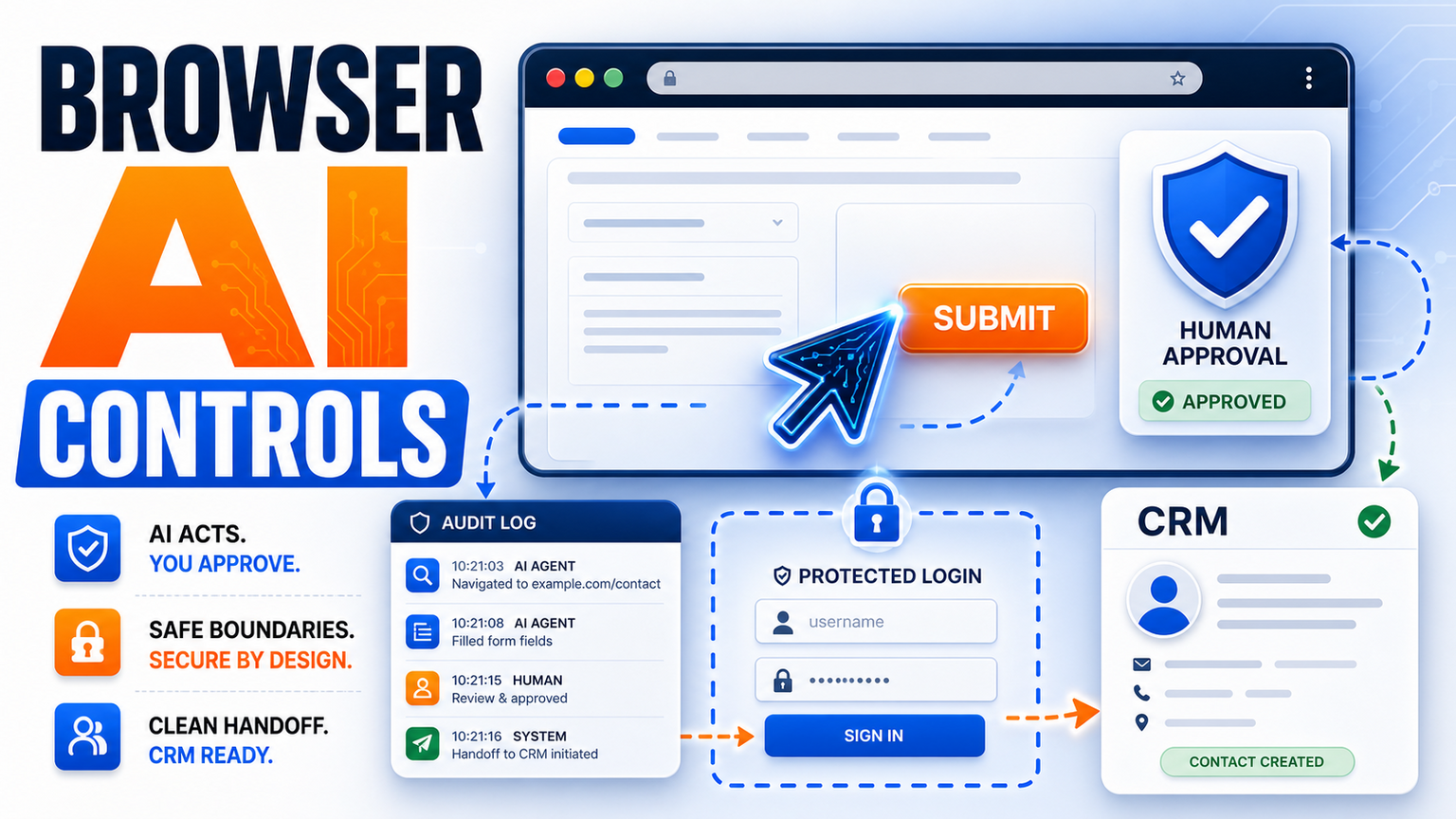
# Browser With AI Controls Is the Next SME Automation Test Meta description: AI browser agents are moving into regulated workflows. SMEs need browser with AI controls, approvals, logs and stop rules before scaling autom
Browser With AI Controls Is the Next SME Automation Test
Meta description: AI browser agents are moving into regulated workflows. SMEs need browser with AI controls, approvals, logs and stop rules before scaling automation.
A browser with AI controls is becoming a practical way for businesses to automate work that still lives inside portals, supplier dashboards, insurance systems, CRMs and admin websites. The fresh signal is not that every SME should let an agent freely click around the internet. It is that browser-based workflow automation is now being packaged around controlled actions and human approval.
Hacker News had active July discussions around computer-use agents and AI app monitoring, which supports the same operator concern: people want agents that can act, but only when controls are visible.
For UK, US and EU SMEs, this is the moment to separate useful AI browser controls from risky autonomous browsing.
Why browser agents matter now
Many business workflows are not clean API workflows. Staff still log into supplier portals, insurer extranets, finance dashboards, recruitment systems, booking tools and niche SaaS screens. Manual work becomes copy, paste, check, submit, download and update.
A browser AI agent tries to operate that layer directly. It can read a page, follow a narrow instruction, fill a form, compare fields and move information from one screen to another. That is powerful, but the logged-in browser may expose private data or commit a transaction. If the agent gets confused by a changed page, it can create messy records quickly.
That is why the phrase browser with AI controls matters. The useful system has clear boundaries: which site, which task, which records, which buttons, which review step and which stop rule.
What this means for SMEs
For UK, US and EU SMEs, start with one narrow workflow where the steps are repetitive and the risk can be contained. Examples include checking order status, collecting invoice PDFs, copying supplier delivery dates into a CRM, preparing a draft support response, or pre-filling a back-office form for human review.
Then design controls before adding the agent: login boundaries, allowed URLs, fields the agent can read, fields it can write, actions needing approval, and a log of every page visited.
This is where GOFTUS usually begins. We map the workflow, decide whether browser automation is safer than an API integration, add human-approved browser automation where needed, and connect the result back to CRM, support, reporting or document systems.
If you are exploring this for customer support, lead follow-up, document retrieval or back-office admin, start with /agents and /services.
What competitors are missing
The competitor market is crowded. UK consultancies such as Faculty AI, Deeper Insights, Waracle and Brainpool AI can support larger AI programmes. US firms such as LeewayHertz, Markovate, SoluLab and BairesDev pitch custom AI development. European teams such as Addepto, STX Next, Netguru and 10Clouds deliver software projects. SaaS tools such as Zapier, n8n, Relevance AI, Lindy, Gumloop, Bardeen, Make and Stack AI are useful for task automation.
The gap is workflow ownership. A browser agent touching a live business portal needs more than a prompt and a login. It needs approvals, exception handling, audit logs, fallback steps, monitoring and monthly improvement.
Tools automate tasks. GOFTUS automates the workflow around the task.
GOFTUS frames browser AI controls around the operating model: who owns the workflow, when the agent pauses, what gets written to CRM, which errors become tickets, and how outcomes are reviewed.
Practical browser AI controls to require
First, define the allowed path. A browser AI agent should not roam across unrelated sites. Restrict the workflow to known domains, pages and data fields.
Second, separate draft actions from final actions. Let the agent collect information, complete drafts, reconcile records or prepare forms. Keep final submission, payment, cancellation, binding, refund or customer-impacting actions behind approval.
Third, keep visible logs. The business should know which pages were opened, what data was extracted, what changed and which human approved the result.
Fourth, design stop rules. If the page layout changes, if a confidence check fails, if the record is missing, or if a number is outside the expected range, the workflow should stop and route to a person.
Fifth, connect the browser task to the rest of the operation. The output should update CRM notes, support tickets, spreadsheets, reports or document folders. Otherwise the SME just moves manual checking from one screen to another.
What SMEs should do next
Pick one browser task that happens every week and has a clear beginning and end. Write down the screens, inputs, outputs and decision points. Mark the risky clicks in red. Those clicks should require approval.
Next, decide whether the workflow should be API-first, browser-first or hybrid. APIs are cleaner when they exist. Browser automation is useful when the system is old, closed, niche or vendor-controlled. A hybrid approach can use browser actions for retrieval and normal integrations for CRM updates, notifications and reporting.
Then run a small pilot with three checkpoints: time saved, error rate and exception rate. If exceptions are frequent, the workflow is not ready for more autonomy. If the pilot works, expand carefully.
GOFTUS can help scope this through a practical diagnostic. We look at the browser task, data sensitivity, approval points, integration options and the business outcome. If suitable, we can build a controlled AI browser agent connected to /agents, /services and the systems your team already uses.
Browser agents are not just another AI demo. They are a sign that automation is moving into the messy browser layer where many SMEs still work every day. The opportunity is real, but only if the business designs controls before giving an agent access.
A browser with AI controls should mean narrow workflows, approved actions, clear logs, safe login boundaries and stop rules. That is the difference between helpful browser-based workflow automation and a risky agent clicking through live systems.
For GOFTUS, the winning approach is simple: automate the repeatable browser task, keep humans in charge of risky decisions, connect the output to business systems, and improve the workflow each month.
What is a browser with AI controls?
A browser with AI controls is a browser-based automation setup where an AI agent can complete narrow web tasks but must follow rules. Those rules can include approved websites, limited fields, human review before final clicks, audit logs and stop conditions. For SMEs, this is safer than open-ended browsing because the agent works inside a designed workflow.
Is AI controlled browser automation safe for customer or finance tasks?
It can be safe only when the workflow is designed with boundaries. Sensitive actions should use human approval, restricted access, logged activity and clear escalation. GOFTUS normally starts with retrieval, drafting, checking or form preparation before allowing any final submission.
How can GOFTUS help with browser-based workflow automation?
GOFTUS maps the task, checks whether API or browser automation is the right route, adds approval gates, connects outputs to CRM or support systems, and builds monitoring around the workflow. Start with /agents for AI agents or /services for broader automation support.
Hacker News Algolia showed adjacent July 2026 developer discussion around computer-use agents and AI app monitoring.