AWS AgentCore Shows Browser With AI Controls Needs Workflow Policy
AWS AgentCore shows why browser with AI controls needs approvals, audit logs and safe workflow boundaries for SMEs.
# AWS AgentCore Shows Browser With AI Controls Needs Workflow Policy Meta description: AWS AgentCore browser policies show why SMEs need browser with AI controls, approvals, audit logs and safer workflow automation boun
AWS AgentCore Shows Browser With AI Controls Needs Workflow Policy
Meta description: AWS AgentCore browser policies show why SMEs need browser with AI controls, approvals, audit logs and safer workflow automation boundaries now.
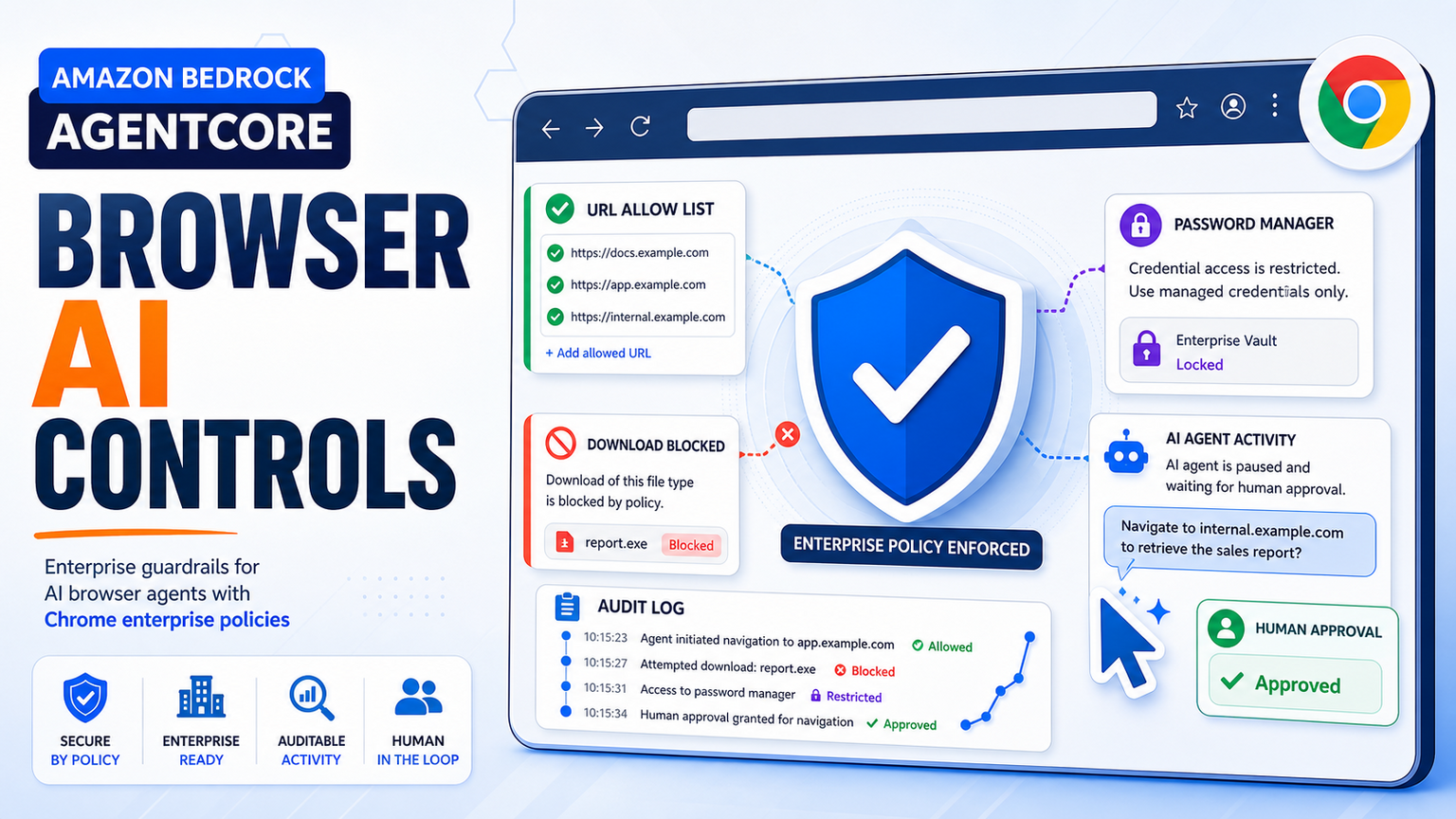
Amazon's AWS Machine Learning Blog has a useful signal for any business considering AI agents that can use a browser. Its post on Amazon Bedrock AgentCore Browser says AgentCore now supports Chrome enterprise policies and custom root CA certificates, giving organisations more control over where an AI browser agent can browse and what it can do inside the browser.
The practical point is bigger than AWS. Browser with AI controls is becoming a normal business requirement, not a niche developer feature. If an agent can open websites, download files, enter data, read customer records or prepare submissions, the business needs policy around the browser, not just a clever prompt.
Hajikreena's view is that this is where SMEs should slow down and design the workflow. A browser AI agent can help with supplier portals, CRM updates, research, support triage, document collection and reporting. But it should operate inside clear boundaries: approved sites, login rules, blocked downloads, human approval for risky actions, visible logs and stop rules. GOFTUS connects that control layer through /agents and /services so browser automation becomes a managed workflow rather than an unmanaged shortcut.
Why this AWS signal matters for operators
The AWS article describes a technical pattern that many businesses will recognise soon. AI agents increasingly need to work in normal websites because not every system has a clean API. A company might need to check an order portal, retrieve a document, compare a CRM record with a vendor page, fill a public form or collect evidence from a dashboard. Browser-based workflow automation can remove a lot of repetitive work.
The risk is that a browser is also where mistakes become expensive. An unrestricted agent could navigate to the wrong domain, save credentials, download files, click through a risky workflow or act on information that a human would have questioned. AWS frames this around Chrome enterprise policies such as URL filtering, download restrictions and password manager controls. For SMEs, those ideas translate into business rules that owners can understand.
The right question is not whether an AI controlled browser automation demo can click around a website. The right question is whether the company can prove what the agent was allowed to do, what it actually did and who approved the result. That matters for regulated teams, but it also matters for ordinary operators who handle customer data, invoices, refunds, supplier records and sales follow-up.
What this means for SMEs
For UK, US and EU SMEs, the first safe use case is usually a narrow browser task with a clear finish line. Examples include checking whether a supplier invoice exists, gathering screenshots for a support ticket, pre-filling a CRM enrichment workflow, monitoring a public tender page, comparing pricing pages, downloading approved reports or routing unanswered customer questions to the right person.
Each workflow should have a boundary map. Which websites are allowed? Which logins can the agent use? Which data can it copy? Which files can it download? Which actions are prepare-only, and which actions require approval before submit? If the owner cannot answer those questions, the business is not ready to let an agent use the browser in production.
GOFTUS treats browser AI controls as part of the workflow design. A useful implementation can start with one repeated task, one browser policy, one reviewer and one audit log. The automation can then connect to CRM, support tools, spreadsheets, document systems or reporting dashboards through /services. If the browser step needs deeper agent behaviour, GOFTUS can extend it through /agents while keeping approvals and evidence in place.
The market is crowded, and that is good for buyers. UK firms such as Faculty AI, Deeper Insights, Waracle and Brainpool AI can help larger organisations think through AI adoption. US providers such as LeewayHertz, Markovate, SoluLab and BairesDev can build custom agent software. European teams such as Addepto, STX Next, Netguru and 10Clouds bring strong engineering capacity. SaaS tools such as Zapier, n8n, Relevance AI, Lindy, Gumloop, Bardeen, Make and Stack AI can automate useful pieces of work.
What competitors are often missing is the operating layer around the browser action. Tools automate tasks. GOFTUS automates the workflow around the task. For browser agents, that means policy, approvals, exception routing, credential boundaries, logs, monthly review and a clear handoff back to humans.
That counter-position matters because browser automation often fails at the edges. A portal changes its layout. A login expires. A file type is blocked. A field looks similar but means something different. A customer record needs judgement. A tool can click faster, but an SME needs a workflow that knows when not to click.
What SMEs should do next
Start by listing the browser tasks your team repeats every week. Rank them by volume, risk and clarity. Low-risk, high-volume tasks are the best first candidates. A workflow that gathers information and prepares a decision is usually safer than one that makes the final decision.
Next, define the controls before choosing tools. Write down the approved domains, forbidden actions, login rules, file rules, human approval moments and audit evidence. If the workflow touches customer data, finance, contracts, regulated submissions or employment records, add an explicit review step.
Then build a small version. The first GOFTUS diagnostic would normally map the current workflow, identify the safe browser actions, connect the result to CRM or support operations, and create a simple monitoring view for exceptions. From there, the same control pattern can expand into document automation, FAQ automation, reporting automation or broader agentic workflows.
AWS AgentCore's Chrome enterprise policy update is a reminder that AI browser agents need more than access to a website. They need approved browsing lanes, blocked risky actions, credential boundaries, audit logs and human approval for decisions that matter.
For SMEs, browser with AI controls should be treated as a workflow project. Start with one repeated task, make the allowed actions visible, connect outcomes to existing tools and review exceptions every month. If you want a practical starting point, GOFTUS can help map the workflow through /services or design a controlled AI agent through /agents.
What is browser with AI controls?
Browser with AI controls means using an AI agent to work inside websites while limiting where it can go, what it can download, which credentials it can use and which actions need human approval. The value is not only the browser click. The value is the policy, evidence and handoff around the click.
Should SMEs let AI agents use business websites?
SMEs can let AI agents use business websites when the task is narrow, repeatable and governed. Safe early examples include research, data collection, report retrieval and draft preparation. Riskier actions such as submitting forms, updating customer records or approving payments should stay behind a human review gate.
How can GOFTUS help with browser-based workflow automation?
GOFTUS maps the real workflow first, then designs the browser agent, controls, approvals, exception routes and integrations around it. The goal is to make browser automation useful inside the business, connected to /services, /agents and the systems your team already uses.
Primary source: AWS Machine Learning Blog, "Control where your AI agents can browse with Chrome enterprise policies on Amazon Bedrock AgentCore", accessed during this run.